🛠️ Key Skills & Details That Define Professional Quality
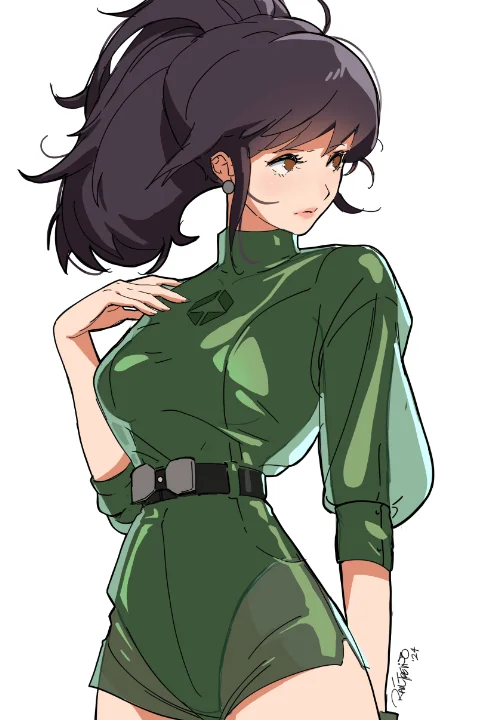
When translating a 2D character to 3D, the process is more than just modeling; it’s about capturing the essence and style. Raul Trevino emphasizes a workflow that prioritizes efficiency while respecting the original art.
- Topology with Purpose: Understand that topology isn’t just about quads. While quads are generally preferred for smooth deformation, Ngons (faces with more than four vertices) can be strategically used, especially in flat, non-deforming areas or where they simplify complex shapes without negatively impacting the final render. The key is knowing when and where to use them to your advantage.
- Smart UV Unwrapping: For stylized characters with solid colors, UV unwrapping is crucial for applying textures correctly. Pay attention to the size and resolution you allocate to different parts of your UV map. Areas with important details, like logos or facial features, should get more UV space to maintain crispness, even with simple color fills.
- Strategic Shadowing: Instead of relying solely on baked-in shadows, consider creating separate “shadow” geometry. Duplicate a face, position it slightly behind the main mesh, and give it a dark color. This provides control over how shadows fall, allowing for stylistic choices that enhance the 2D-like appearance without complex lighting setups. Remember to save your image textures frequently and use clear naming conventions (e.g.,
base_color_06.png,shadows_07.png) to avoid confusion when updating.
💬 Frequently Asked Questions
Q. 2 D Character designs often have exaggerated proportions. How do I handle these in 3D without breaking the model?
A. Stylized designs require careful handling. As demonstrated in the class, you may need to make subtle adjustments to the base head mesh to accommodate features like long eyebrows or large foreheads. Adding targeted edge loops and slightly altering the head’s silhouette can help integrate these exaggerated 2D elements naturally into the 3D form, preserving the character’s unique appeal without causing topology issues.
Q. 2 D Artwork often uses clean lines and flat colors. How can I achieve a similar look in Blender’s 3D renders?
A. Blender’s Eevee render engine is excellent for achieving stylized looks. Utilize the Toon Shader and explore the LineArt Modifier or Freestyle rendering options. These tools can help simulate the clean outlines and flat shading characteristic of 2D anime art. Additionally, strategically painting shadows directly onto your textures can mimic the cel-shaded look effectively.
Q. 2 D Character models sometimes have features that seem to float or overlap in ways that don’t make sense anatomically. How do you approach this in 3D?
A. The key is to prioritize the visual appeal and intent of the 2D design while maintaining good 3D practices. For elements like eyelashes or small details, use Face Project snapping to ensure they adhere correctly to the surface. For more complex overlaps, you might need to slightly adjust the base mesh or strategically use geometry duplication and separation to recreate the intended effect without creating visible gaps or unnatural deformations.