💡 Three Game-Changing Principles for Powerful End Poses
This expert approach focuses on principles that elevate simple movements into memorable moments.
1. The Art of the “Active Pause”: Beyond Stillness
The end pose isn’t merely a static frame. It’s an active continuation of energy. Think about a bear finishing a powerful swing; the recoil and shake is the end pose, communicating the force exerted. This expert’s method involves analyzing the energy flow: how does the character absorb or release momentum? By understanding this, you can imbue even the briefest pause with a sense of continuation, making the animation feel richer and more dynamic. It’s not just about where they stop, but how they arrive at that stop.
2. Precision Timing and Arc: Sculpting the Moment
Achieving a convincing end pose often boils down to subtle adjustments in timing and arc. Consider the difference between a character landing with a light bounce versus a heavy, grounded stance. These variations are sculpted through meticulous frame-by-frame timing and the curvature of movement. The expert emphasizes how small tweaks here—like the speed of a knee bend or the subtle upward flick of a hand after a motion—dramatically alter the perceived weight and personality. This is where the “math” behind animation truly shines, moving beyond just “feeling” to calculated impact.
3. Character-Driven Endings: Tailoring the Visual Story
The most effective end poses are intrinsically linked to the character’s personality and the situation. A heavy, strong character will land differently than a nimble, agile one, even performing the same action. This expert demonstrates how to analyze the character’s volume, intent, and the narrative context to choose or create an end pose that resonates. For instance, a character might end a powerful action with a slight grimace and clenched fists, or a relaxed posture suggesting newfound confidence. This detail transforms a generic animation into a specific character moment.
🛠️ Key Skills & Details That Define Professional Quality
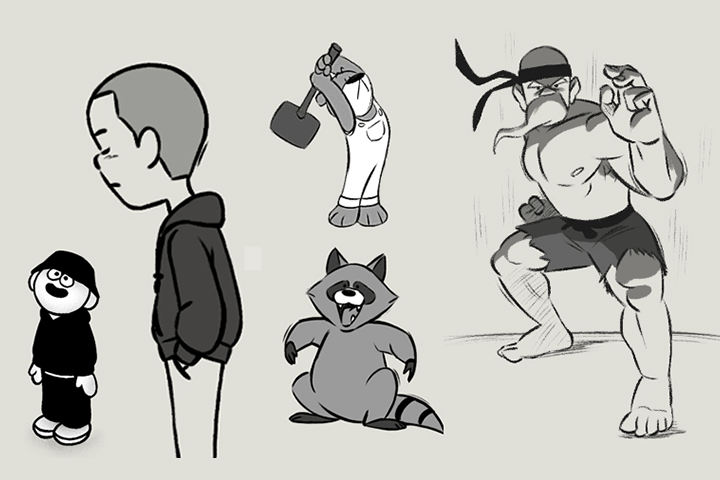
Beyond theoretical principles, the practical application lies in mastering the tools and workflow that bring these concepts to life. For 2D animation, this translates to a deep understanding of software like TVPaint, which offers a traditional paper-like drawing experience. The expert highlights key features such as the Pen Brush and Pencil Brush, and how to customize them to achieve desired line quality and pressure sensitivity.
Crucially, the workflow involves intelligent use of layers and the timeline. For instance, utilizing the Color & Texture Layer in the Professional version of TVPaint allows for efficient coloring without needing to fill every single frame manually, a significant time-saver. When dealing with transformations, understanding the potential for image degradation is vital; while cracks might be acceptable in rough stages, they require redrawing for clean-up. The expert’s approach emphasizes creating a Hold on elements like a ground line, ensuring consistency throughout the animation.
Furthermore, effective use of the Light Table features, including adjusting opacity and displaying onion-skinned previous frames, is fundamental for fluid motion. Being able to easily move, pan, or transform these reference images streamlines the drawing process. The ability to set Mark In and Mark Out points on the timeline allows for precise playback of specific animation segments, facilitating focused review and refinement. These techniques collectively contribute to the professional polish seen in high-quality character animation.
💬 Frequently Asked Questions
Q. As a 2D Animator, how can I make my character’s movements feel more natural, especially during transitions?
A. Natural transitions as a 2D Animator often come from understanding and applying the principles of physics and physics-based movement. This involves focusing on arcs, spacing, and timing. For example, when a character lands, the way they absorb the impact through knee bend, body squash, and a potential bounce is critical. Observing real-world physics and applying them consciously, rather than relying solely on intuition, is key to creating believable motion.
Q. What is the most significant difference between the Professional and Standard versions of TVPaint for a 2D Animator?
A. The primary and most impactful difference for a 2D Animator is the inclusion of the Color & Texture Layer in the Professional version. This feature dramatically speeds up the coloring process, allowing you to fill areas on a separate layer that automatically syncs with the main animation frames. The Standard version lacks this, requiring more manual frame-by-frame coloring, which can be a significant bottleneck for projects.
Q. How does a 2D Animator effectively use key poses to communicate character strength or emotion in a short action sequence?
A. A 2D Animator uses key poses to define the most important moments of an action, and for conveying strength or emotion, the end pose is paramount. This involves more than just positioning; it includes the subtle details like clenched fists, a determined facial expression, or a slight tremor indicating exertion. Analyzing the arc and spacing leading into and out of the pose, as well as incorporating secondary actions like a character shaking from the impact of their own movement, helps to visually communicate the character’s internal state and the power of their actions.