Blender 3D Anime Avatars: Unlock Keeki’s Secrets to Flawless Rigging & Modeling
🧐 Ever feel like your Blender anime avatars are missing that professional polish?
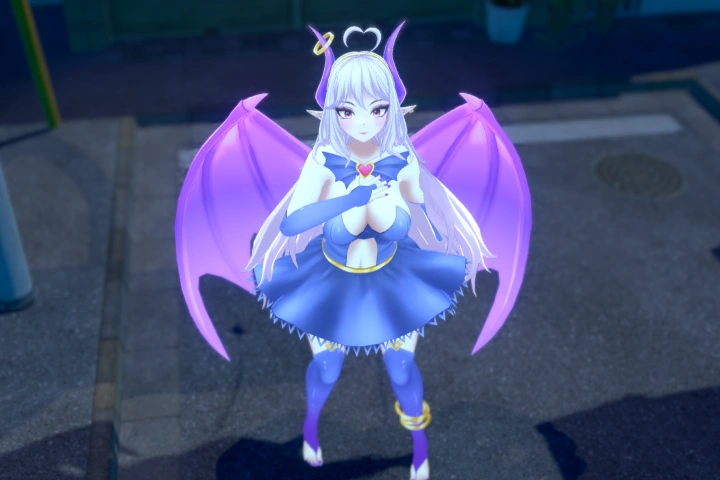 You meticulously model and rig, yet the final result still feels a bit off, lacking that distinct anime charm or smooth deformation. The gap between a good character and a truly captivating one often lies in the subtle, yet critical, workflow decisions made early on.
💡 Master Your Anime Avatar Workflow with These Core Principles
1. Precision Modeling for Anime Aesthetics
<<This isn’t just about duplicating shapes; it’s about understanding the subtle curves and proportions that define the anime style. Focus on clean topology from the start to avoid headaches down the line.>>
- The “Soft Edge” Principle: Instead of sharp, geometric transitions, aim for slightly rounded edges in key areas like the jawline, shoulders, and even fabric folds. This naturally softens the look and aligns with the anime aesthetic. Use a small bevel or subdivision surface modifier strategically.
- Proportion Play: Anime characters often play with proportions for expressiveness. Pay close attention to how eye size, head-to-body ratio, and limb thickness contribute to the overall feel. Small adjustments here can drastically change the character’s personality without altering the core design.
- Topology is King: For smooth deformations during rigging, maintain clean quad-based topology. Avoid excessive triangles or N-gons, especially around areas that will deform significantly, like joints and facial features. This ensures your mesh flows naturally with your rig.
2. Strategic Rigging for Expressive Characters
<<Don’t just add bones; think about how the character will move. Layering rigs and using custom controllers are key to achieving nuanced anime expressions and actions.>>
- The Auto Rig Pro Advantage: Leverage tools like Auto Rig Pro to establish a solid foundational rig quickly. This saves immense time on the repetitive aspects, allowing you to focus on customization.
- Deformation-Focused Controls: Beyond basic FK/IK for limbs, create specific controllers for areas that need expressive movement. Think about squash-and-stretch curves for dynamic poses, or dedicated controllers for hair and clothing to add secondary motion.
- Shape Keys for Nuance: For facial expressions, shape keys are indispensable. Instead of relying solely on bone-driven facial rigs, create detailed shape keys for key emotions (happy, sad, surprised, angry). This offers a wider range of nuanced expressions that are harder to achieve with bones alone.
3. The “Keeki Polish”: Elevating Your Avatar’s Presence
<<This is the secret sauce – the one extra step that transforms a good render into a professional showcase. It’s about attention to detail in presentation and subtle refinement.>>
- Weight Painting Mastery: Spend that extra hour refining your weight painting. Focus on the transition areas between bones, ensuring smooth skinning and avoiding pinching or unnatural stretching. This is where the character truly comes alive during animation.
- Material & Texture Harmony: Ensure your materials and textures complement the anime style. Think about cel-shading techniques, rim lighting, and the use of specular maps to define forms without overly complex shaders.
- Presentation is Key: Final renders should showcase your avatar’s strengths. Pay attention to lighting, composition, and even subtle post-processing effects (like bloom or depth of field) to give your character that professional, eye-catching appeal.
🛠️ Key Skills & Details That Define Professional Quality
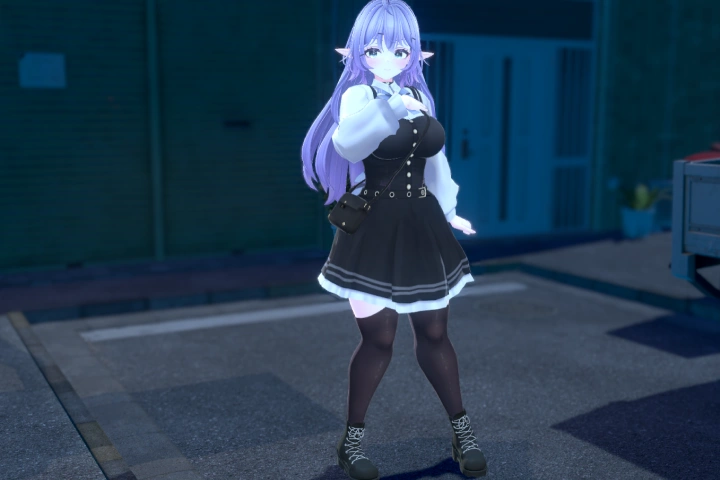
Achieving professional-grade 3D anime avatars in Blender requires a deep understanding of both technical execution and stylistic interpretation. It’s about more than just following a tutorial; it’s about developing an artist’s eye and a streamlined workflow.
- Mesh Optimization: Understanding how edge loops and face flow directly impact subdivision surface modifiers and deformation is crucial. This allows for high-detail models that remain manageable and performant.
- Rigging Pipeline: Efficiently setting up a control rig that’s intuitive for animators is paramount. This involves proper bone placement, naming conventions, and custom controller creation that mimics natural movement.
- Texturing Techniques: Mastering UV unwrapping and PBR workflows, even for a stylized anime look, ensures your textures sit correctly and react believably to light. Techniques like hand-painted textures or procedural shaders can achieve the desired aesthetic.
- Shader Setup: Learning to create shaders that mimic the flat colors, crisp outlines, and subtle shading of anime art is a game-changer. This often involves custom node setups in Blender’s shader editor.
- Workflow Integration: Seamlessly moving between modeling, sculpting, retopology, rigging, texturing, and rendering is what defines a professional pipeline. Each step feeds into the next, building upon the previous one without introducing errors.
💬 Frequently Asked Questions
Q. How does 3D Artist Keeki ensure anime-style deformation during complex facial expressions?
A. 3D Artist Keeki emphasizes a dual approach: meticulously crafted shape keys for nuanced emotional expressions, combined with a well-structured bone rig for broad movements and secondary actions. This combination ensures that characters can convey a wide range of emotions naturally, avoiding the common pitfalls of stiff or unnatural facial animation.
Q. What are the most critical topology considerations for anime character modeling in Blender, according to 3D Artist Keeki?
A. 3D Artist Keeki highlights the importance of clean, quad-based topology, especially around deformation areas like the mouth, eyes, and joints. This ensures smooth bending and prevents unwanted pinching or creasing when the character is posed or animated, which is vital for maintaining the stylized anime look.
Q. Beyond the software, what mindset shift does 3D Artist Keeki recommend for aspiring anime avatar creators?
A. 3D Artist Keeki suggests shifting focus from simply replicating software steps to understanding the underlying principles of anime art and character design. This involves not just learning how to model or rig, but why certain proportions or deformation behaviors are used to achieve the desired stylized effect. It’s about developing an artist’s intuition.