Mastering Blender Procedural FX: izzy’s Secrets for Stunning 3D Worlds
🧐 You’ve meticulously followed tutorials, but your 3D scenes still lack that professional polish. Where’s the magic missing?
 It’s easy to get lost in endless node setups or default particle settings, only to end up with results that feel… generic. The real trick isn’t just knowing the tools, it’s understanding the underlying principles that drive dynamic, believable effects. This is where learning from a seasoned artist like izzy becomes invaluable. Forget copying setups; we’re talking about building an intuition for procedural workflows that scale.
💡 izzy’s Core Workflow: Three Pillars for Pro-Level Procedural FX
1. Foundational Computer Science Principles for Artists
The core of modern 3D artistry often hinges on understanding fundamental computer science concepts. izzy emphasizes mastering essentials like data structures, instancing, recursion, and efficient processing. This isn’t about coding; it’s about grasping how these ideas translate into powerful, automated workflows within Blender. Think of it as learning the “why” behind your nodes, enabling you to create complex effects with far fewer steps and a deeper understanding of how they behave. This knowledge fundamentally shifts your approach from manual tweaking to intelligent design.
2. Real-World Inspiration for Procedural Magic
Why reinvent the wheel when nature has already perfected it? izzy’s approach centers on drawing inspiration directly from real-world phenomena. This means observing how particles move, how textures form, and how natural processes create complexity. By translating these observations into Blender’s procedural systems, especially Geometry Nodes, you gain the ability to create effects that feel organically grounded, even in fantastical settings. For instance, understanding fluid dynamics can inform particle simulations, and studying geological formations can inspire terrain generation. This method not only yields more realistic results but also sparks genuine creativity.
3. The “Polish Pass”: Advanced Rendering & Post-Production
A stunning render isn’t just about modeling and effects; it’s heavily influenced by lighting and post-production. izzy reveals his complete workflow, including crucial steps in DaVinci Resolve, to bring scenes to cinematic life. This involves mastering render layers, intelligent compositing, and precise color grading. The takeaway here is that professional polish often comes from those final, often overlooked, touches. Learning how to strategically use render passes to enhance depth, control color tonality, and add atmospheric effects is key to making your work truly stand out.
🛠️ Key Skills & Details That Define Professional Quality
Beyond mastering individual tools, izzy’s course dives deep into the practical application of these concepts for tangible results. You’ll learn to:
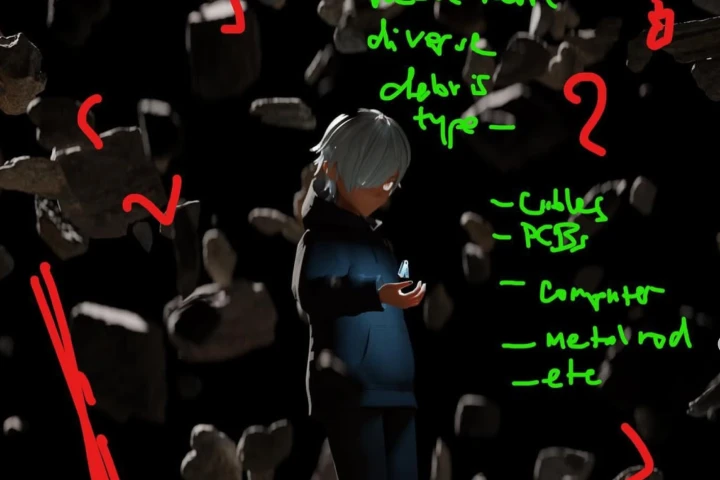
- Gather and Structure References: Effectively build mood boards and reference libraries that guide your scene composition and FX design.
- Build Scenes with Real-World Scale: Understand how to set up your Blender scene using accurate real-world measurements for believable results.
- Implement Geometry Nodes for Dynamic Effects: Go beyond basic particle systems. Discover how to use Geometry Nodes for complex scattering, procedural generation, and intricate simulations that react intelligently to your scene.
- Craft Procedural Textures and Materials: Leverage shader nodes to create unique surface details, wear effects, and procedural textures that react to lighting and geometry.
- Refine Lighting for Mood and Realism: Learn izzy’s techniques for setting up lighting that not only illuminates your scene but also enhances the narrative and emotional impact.
- Integrate Animation Data: Understand how to use pre-rendered animation data or bake your own simulations to drive complex procedural setups.
- Execute Advanced Compositing and Color Grading: Master the final stages of post-production in DaVinci Resolve to achieve a polished, cinematic look, using render passes for maximum control.
💬 Frequently Asked Questions
Q. How does 3 Dcgartist izzy’s approach to procedural effects differ from standard tutorials?
A. Instead of just showing how to replicate specific effects, izzy focuses on teaching the underlying principles. This empowers you to adapt techniques to your own unique projects and troubleshoot challenges independently, rather than just following instructions.
Q. Can a beginner apply izzy’s techniques in Blender and DaVinci Resolve?
A. While the course covers advanced topics, it’s structured to build foundational understanding. izzy starts with core concepts and gradually progresses. However, a basic familiarity with Blender’s interface will be beneficial for grasping the workflow more quickly.
Q. What specific real-world phenomena does 3 Dcgartist izzy use as inspiration for procedural effects?
A. izzy draws inspiration from a wide range of natural processes, such as fluid dynamics for particle movement, geological patterns for terrain generation, and material science for surface imperfections and wear. The goal is to translate these real-world behaviors into procedural logic within Blender.