🛠️ Key Skills & Details That Define Professional Quality
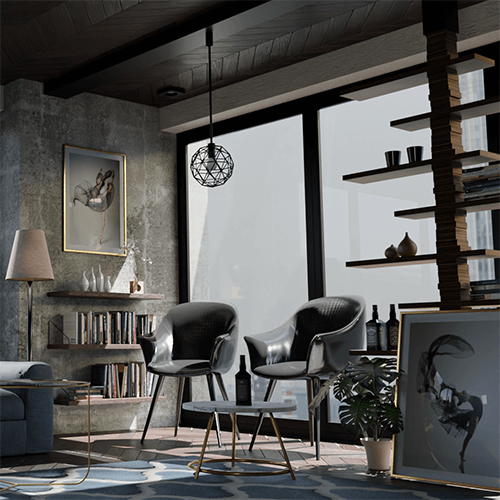
Professional 3DCG work hinges on more than just mastering software features; it’s about a refined workflow and attention to detail. This course dives into practical application, teaching you how to effectively use Blender’s modifiers and physics operators for dynamic effect production. For instance, creating convincing explosions isn’t just about particle systems; it’s about understanding how to combine them with simulations and destructive elements for a more impactful visual.
Furthermore, the course emphasizes efficient scene construction, particularly through Geometry Nodes for large-scale duplication. This practical approach allows for creating visually rich environments without bogging down your system. Understanding how to manage multiple elements via scenes and render layers streamlines the compositing and rendering process, ensuring that each component contributes to a cohesive and high-quality final animation. Mastering these skills translates directly to a more professional and polished final product, cutting down on development time and enhancing visual fidelity.
💬 Frequently Asked Questions
Q. How does 3 Dcgcreator explain the intimidating node system to beginners?
A. 3 Dcgcreator breaks down the node system into understandable core principles. Instead of overwhelming learners with every possible function, the focus is on mastering basic configurations and understanding how to combine nodes to achieve specific visual effects, making it accessible even for those new to Blender’s node editor.
Q. What are some practical tips for creating action scene effects like lightning or explosions?
A. 3 Dcgcreator provides step-by-step examples using modifiers and physics simulations. The emphasis is on learning how to combine these tools effectively, demonstrating techniques that allow for procedural generation of dynamic effects, which are essential for creating visually stunning action sequences in 2D and 3D.
Q. How can I create more visually appealing backgrounds efficiently using Blender?
A. 3 Dcgcreator explains the effective use of Geometry Nodes for large-scale object duplication. This technique allows for the creation of lightweight yet attractive backgrounds, covering everything from basic node usage to practical application in scene composition, ensuring efficiency without sacrificing detail.