Stop Making Flat Textures: Master Substance Painter’s Depth
🧐 Frustrated with Textures That Just Don’t Pop?
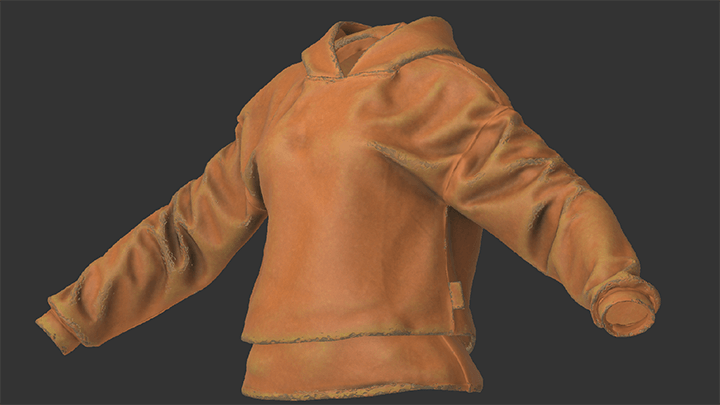 You meticulously follow tutorials, yet your textures end up looking flat, lacking that crucial AAA quality. The issue often isn’t a lack of skill, but a misunderstanding of how fundamental Substance Painter features truly integrate for professional results. Many beginners get bogged down by the sheer volume of tools, missing the core principles that separate good from great.
💡 3 Expert Principles for Pro-Level Textures
1. Master PBR Fundamentals for True Realism
The key to photorealistic textures lies in understanding PBR (Physically Based Rendering) not just as a concept, but as a practical workflow within Substance Painter. Focus on the interplay of Base Colors, Roughness, and Normal/Height Maps. It’s not just about applying these maps; it’s about how they react to light and form that creates believable depth. A common pitfall is treating each map in isolation. Instead, think about how roughness defines surface micro-details and how normal maps fake complex geometry.
2. Optimize Your Workflow with Smart Data & Efficient Tools
Professional texturing isn’t just about painting; it’s about smart asset management. Leverage Substance Painter’s Smart Materials and Smart Masks not just as presets, but as building blocks. Artist Gosari emphasizes that understanding how these are constructed allows for far greater customization and faster iteration. For instance, a well-built Smart Material can be adapted for various surfaces by tweaking a few parameters, saving hours compared to manual painting. Incorporating modeling exercises that directly relate to texture application, as shown in the course, builds this crucial connection between mesh and material.
3. The “Detail Pass” That Elevates Everything
Many artists stop after the primary material definition. The real magic happens in the final “detail pass.” This involves layering subtle imperfections, wear-and-tear, and fine surface variations. This is where custom masks and grunge maps become invaluable. Instead of relying solely on built-in generators, learning to create your own masks based on baked mesh maps (like AO or Curvature) allows for unique, stylized details that truly sell the material’s story and age. This one tweak can seriously level up your output.
🛠️ Key Skills & Details That Define Professional Quality
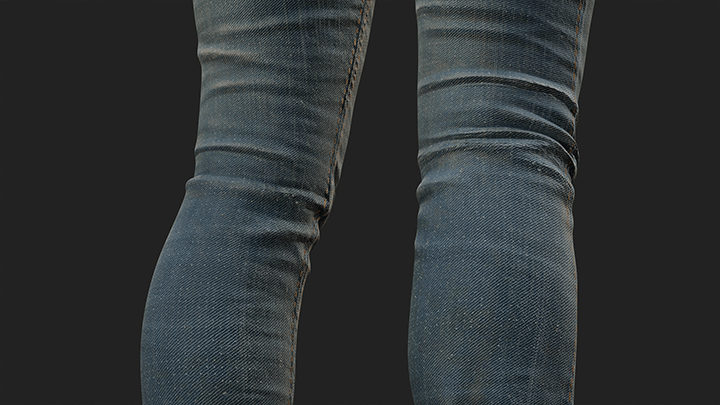 Beyond the basic painting tools, professional-quality textures in Substance Painter rely heavily on understanding the underlying engine and workflow. This includes:
- Brush Control and Pressure Dynamics: Beyond just selecting a brush, mastering pen pressure for opacity and flow is crucial for organic and believable strokes. Experimenting with Dynamic Strokes and understanding how they respond to tablet input makes a significant difference.
- Efficient Data Management: The course highlights the importance of organizing your Substance Painter project. Renaming materials, structuring layers logically, and understanding how to export textures with specific resolutions for different purposes (e.g., baking, rendering, game engine import) are vital for a smooth workflow and collaboration.
- Mastering Baked Mesh Maps: Baking is not just a step; it’s a foundational element. Understanding how to bake accurately, especially using Matching By Name or ID maps, ensures that your procedural tools and masks work as intended. This is essential for generators, Smart Masks, and achieving detailed effects like edge wear or dirt accumulation.
- Strategic Use of Generators and Filters: Professionals don’t just slap on filters. They understand why a generator or filter is used. This involves leveraging baked mesh maps to drive procedural effects, creating custom masks for fine control, and building up complex materials layer by layer for maximum flexibility.
💬 Frequently Asked Questions
Q. As a 3D Character Artist, what are the most common mistakes beginners make in Substance Painter?
A. Beginners often struggle with understanding the PBR workflow deeply, leading to flat or unrealistic materials. They might also over-rely on presets without understanding how to customize them, or neglect efficient data management and workflow optimization, which slows down their process significantly.
Q. How can a 3D Character Artist effectively use Smart Materials and Smart Masks in Substance Painter?
A. A 3D Character Artist should view Smart Materials and Masks as flexible tools rather than final solutions. It’s crucial to understand their construction — how layers, generators, and masks are used — so they can be easily tweaked and adapted to fit unique asset requirements, drastically speeding up the texturing process.
Q. What are the critical aspects of texture resolution for a 3D Character Artist using Substance Painter?
A. For a 3D Character Artist, texture resolution is critical at multiple stages. This includes setting the correct resolution when importing a model, choosing appropriate resolutions for project development to balance detail and performance, optimizing resolution for baking mesh maps, and finally, setting the right export resolution for the target platform or render engine.