Mastering Sci-Fi Environments: From Maya Basics to Nuke Compositing
🧐 That Frustrating Moment When Your Sci-Fi Scene Falls Flat
You’ve spent hours meticulously modeling, texturing, and lighting, yet the final render just doesn’t scream “futuristic.” It feels… off. The core issue often lies in seamlessly blending asset creation with a cohesive final look. This course breaks down that exact challenge.
💡 Pro Workflow for Stunning Sci-Fi Visuals
1. Building the Foundation: Smart Asset Acquisition & Prep
The core of any compelling scene is strong foundational assets. Instead of modeling everything from scratch, leverage high-quality pre-made assets.
- Smart Sourcing: Utilize platforms like TurboSquid and Evermotion for professional 3D models. This saves immense time and ensures a certain level of quality and detail. Search for concepts like “city” or “vehicles” to find suitable elements.
- Exterior Focus: When using pre-made vehicle models, extract only the exterior geometry you need. Interior details can bloat render times and are often unseen. Delete or hide unnecessary internal components.
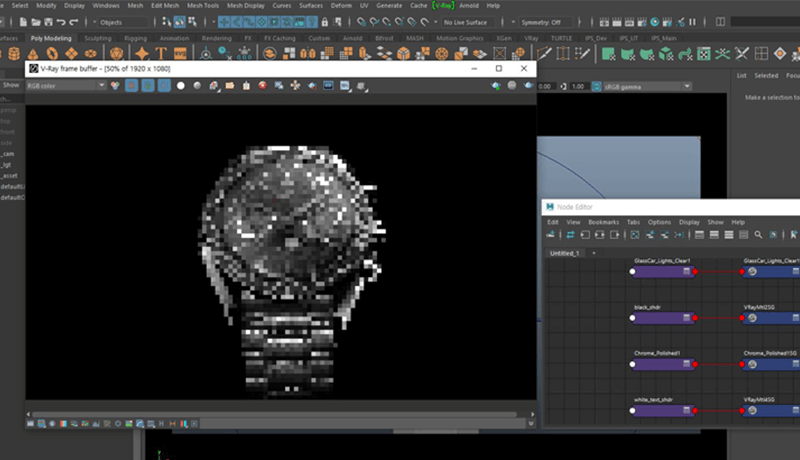
- Material Setup in V-Ray: Begin by setting up a basic gray material to establish lighting and form. Then, progressively add specific materials like “Black Glossy Four” for vehicles. Adjust reflectivity and roughness values carefully. For chrome, add slight roughness to avoid a perfectly flat, unrealistic sheen.
2. Achieving the Glow: Effective Illumination & Self-Illumination
The “Tron-like” feel so characteristic of sci-fi hinges on precise lighting and material emission.
- Dome Light Integration: Use HDRI images with a Dome Light for realistic environmental lighting and reflections. Sites like HDRI Heaven offer a vast library of free, high-quality HDRIs. Ensure your dome is large enough to encompass your scene and has sufficient subdivisions for smooth results.
- Mastering Emission: For elements that need to appear self-illuminated, create a separate material. Set the base color to white and apply it to the desired glowing parts. This creates that distinct, internal light source effect.
- Glass & Chrome Nuances: For glass, focus on refraction rather than reflection. Add slight roughness to chrome materials for a more grounded, less sterile look.
3. Seamless Integration: 2.5D Sky and Scene Compositing
Bringing all your elements together often involves compositing in software like Nuke.
- Maya to Nuke Pipeline: Export your scene elements from Maya (e.g., a sky sphere) as Alembic (.abc) files. Set start and end frames appropriately for non-animated objects.
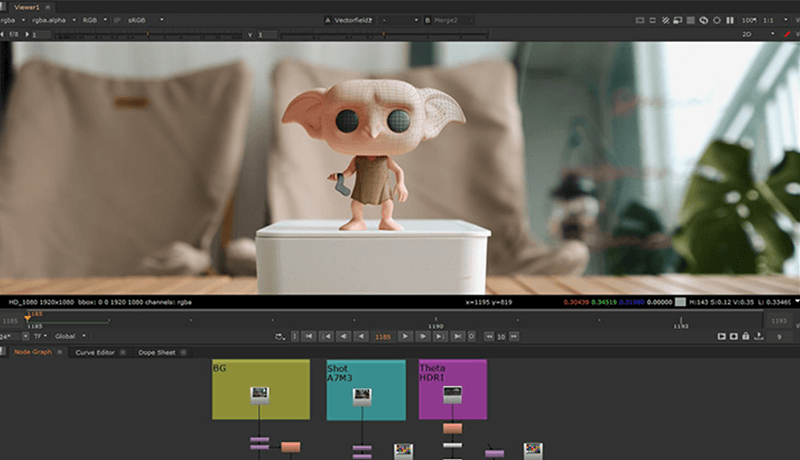
- Nuke Scene Setup: In Nuke, use the ‘Scene’ and ‘ScanlineRender’ nodes to bring in your 3D geometry. The ‘ReadGeo’ node is crucial for importing assets.
- Sky Placement: Create a large sphere in Maya for your sky. Assign your HDRI to this sphere’s material in Nuke via ‘ReadGeo’. Adjust rotation and scale using ‘TransformGeo’ or ‘TransformUV’ nodes to align the clouds and lighting with your camera.
🛠️ Key Skills & Details That Define Professional Quality
Professional-level sci-fi visuals are built on a foundation of smart workflows and a keen eye for detail. This extends beyond just software features to how you approach each stage of production.
- Strategic Asset Management: Don’t reinvent the wheel. Efficiently sourcing and preparing pre-made models saves critical time and resources. Focus on adapting them to your scene’s needs rather than starting from zero.
- Material Mastery: Understanding how materials behave under different lighting conditions is paramount. Pay close attention to roughness values, specular reflections, and the subtle differences between glass refraction and reflection. For emissive elements, a clean white material setup is key.
- Compositing for Realism: The 2.5D approach in Nuke allows for sophisticated sky integration. Properly aligning and integrating your sky dome with the scene’s lighting and camera perspective is vital for a believable final image. Using tools like ‘Remap HSV’ or ‘Remap Values’ for roughness maps allows granular control over surface texture, differentiating between wet and dry areas effectively.
- Lighting as a Storytelling Tool: Differentiate between global lights (like Dome lights for overall ambiance) and local lights (spotlights, rect lights for specific emphasis). Understanding their purpose helps sculpt the mood and focus of your scene. For instance, using a directional light to mimic the sun adds crucial shadow play and depth.
- Post-Production Polish: The final touches in compositing are what elevate a render. This includes:
- Color Grading: Using curves and lookup tables (LUTs) to unify the scene’s color palette.
- Glow and Bloom: Isolating emissive elements and applying subtle glows to enhance the futuristic feel.
- Depth of Field: Simulating camera focus to guide the viewer’s eye and add cinematic quality.
- Sharpening & Aberration: Applying subtle sharpening and chromatic aberration can add detail and a stylized, high-tech edge.
- Grain: Adding film grain can give a project a more grounded, “filmed” aesthetic.
💬 Frequently Asked Questions
Q. As a 3D Artist, how can I quickly find high-quality 3D models for sci-fi scenes?
A. 3D Artists should leverage specialized marketplaces like TurboSquid and Evermotion. These platforms offer a vast library of professionally created assets, saving significant time compared to modeling everything from scratch. Focus searches on specific concepts relevant to your scene, such as “cityscape,” “futuristic vehicle,” or “industrial props.”
Q. What’s the most efficient way for a 3D Artist to apply materials to a complex vehicle model for a sci-fi look?
A. A 3D Artist should first establish a base gray material to evaluate lighting. Then, use specialized materials for key elements: a slightly roughened glossy black for the main body, carefully adjusted chrome with added roughness for metallic parts, and a refractive material for glass. For emissive elements like lights or accent strips, create a separate white material that can be controlled for brightness.
Q. How can a 3D Artist effectively integrate custom skies and environmental lighting into their Nuke compositing workflow?
A. A 3D Artist should export relevant geometry (like a large sphere for the sky dome) from Maya to Nuke using Alembic files. In Nuke, use the ‘Scene’ and ‘ScanlineRender’ nodes. Connect an HDRI image to the sphere’s material via ‘ReadGeo’. Use ‘TransformGeo’ or ‘TransformUV’ nodes to rotate and scale the sky dome, aligning it with the scene’s camera and lighting for a cohesive look.