From Hobbyist to VTuber Pro: Mastering Anime 3D Character Modeling
🧐 Always struggling with that elusive professional polish in your 3D anime models?
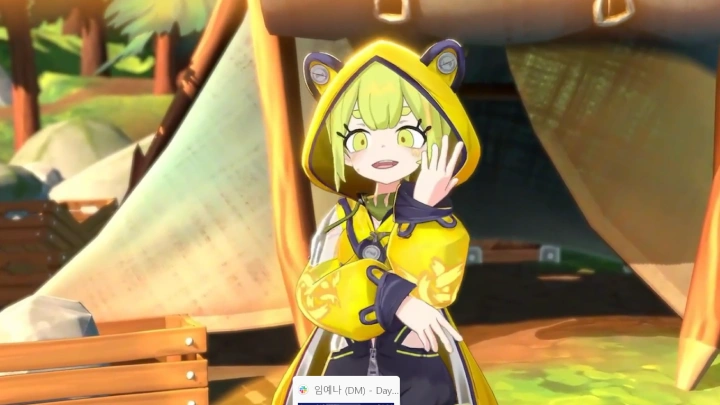 You’ve followed the tutorials, but your characters still feel… off. The edge flow is messy, the textures look flat, and getting them ready for VTubing feels like a mountain to climb. Turns out, the leap from hobbyist to industry pro isn’t about knowing more buttons, it’s about a fundamental shift in your workflow and a few key technical insights.
💡 Three Pro-Level Insights to Elevate Your 3D VTuber Models
1. The Power of Purposeful Reference: Beyond Pretty Pictures
Before you even touch a polygon, obsess over your references. It’s not just about finding cool art; it’s about understanding design. Learn to break down character sheets into three essential views: front, side, and back. This ensures your model has a consistent form from every angle, a critical step often overlooked by beginners. Most pros spend hours here, analyzing how forms translate into 3D space, ensuring good edge flow from the start. This foundational step prevents major rework later.
2. Topology for Deformability: Where Good Models Live and Die
The secret to characters that animate smoothly lies in their underlying topology. When blocking out the body, focus relentlessly on preserving good edge flow, especially around joints like elbows, knees, and the face. This isn’t just about aesthetics; it’s crucial for deformation. Tight clothes require similar consideration – aim for topology that mirrors the body’s structure to avoid clipping and unnatural stretching during movement. This attention to detail directly impacts the final animation quality.
3. The “Shine” Factor: Mastering Textures and Special Effects
Professional-looking textures are more than just color. Learn to leverage Substance Painter and Photoshop not just for base colors, but for depth and personality. Focus on locating shadows effectively to give your character form, and don’t shy away from special effects like alpha transparency for subtle glows or reflective elements. A common pro tip is fixing jagged edges from Substance Painter – this often involves understanding your export settings and utilizing specific techniques within Photoshop for clean seams. This is where your character truly comes alive.
🛠️ Key Skills & Details That Define Professional Quality
Moving from a static model to a fully rigged and ready-to-animate VTuber involves several critical stages. Professionals don’t just know the tools; they understand why certain workflows exist.
- Rigging Fundamentals: It’s essential to grasp joint placement, orientation, and naming conventions. Mirroring joints is a massive time-saver, but the real magic happens during skinning. This process, where the mesh adheres to the bones, requires careful weight painting to ensure natural deformation. A pro will always perform test animations early and often to catch and fix issues.
- Physics and Blendshapes: For dynamic VTubers, physics bones for hair and clothing add crucial life. Understanding how to set these up with tools like Unity’s spring bone system is key. Equally important are facial blendshapes. Creating visemes for speech and expression blendshapes for toggles (like blinking or smiling) is non-negotiable. Pay close attention to fixing unwanted vertex movements and creating smooth transitions between shapes.
- Efficient Export and Integration: Getting your model into VTuber platforms like VRM or Warudo requires specific export settings in Unity. Mastering the FBX import settings, MToon material setups, and VRM blendshape proxies ensures your model functions as intended. Pro users know how to manage outfit toggles and update the FBX iteratively as they refine the model, saving countless hours.
💬 Frequently Asked Questions
Q. What’s the biggest difference 3 Dstudio highlights between hobbyist and professional 3D anime modeling?
A. 3 Dstudio emphasizes that professionals meticulously plan for deformation and animation from the very first polygon. This includes understanding topology flow for joints and clothing, which hobbyists often overlook, leading to issues during animation.
Q. How does 3 Dstudio suggest improving the texturing process for VTuber models?
A. 3 Dstudio recommends going beyond basic coloring by using tools like Substance Painter and Photoshop to actively create depth through shadow placement and special effects like alpha transparency. They also highlight the importance of fixing jagged edges for a clean, polished look.
Q. What are the essential steps 3 Dstudio outlines for preparing a model for VTubing software?
A. 3 Dstudio details the entire pipeline from advanced modeling and UV unwrapping to rigging, skinning, creating physics bones, and developing facial blendshapes. They also cover the crucial step of setting up the Unity project for exporting to formats like VRM and Warudo, including material and physics configurations.