Effortless 3D Avatar Creation: Kim Raming’s Workflow Hacks
🧐 The Frustrating Loop of Over-Complication in 3D Avatar Creation
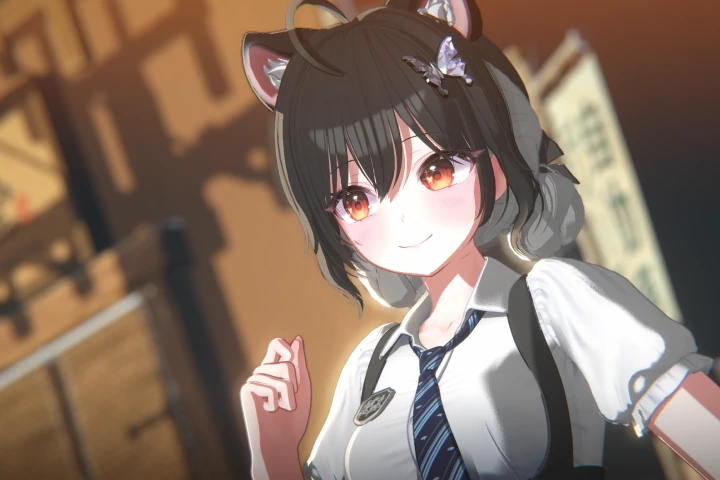 Trying to build a unique 3D avatar from scratch can quickly become a time sink, especially when you’re focused on debuting as a VTuber or launching your digital persona. You follow tutorials, but the results still feel clunky, and the sheer amount of modeling theory seems overwhelming. The truth is, achieving a polished avatar doesn’t always require building every piece from the ground up.
💡 3 Dvirtualartist’s Core Principles for Streamlined Avatar Design
1. Master Customization Over Complex Modeling
It’s not just about learning the technique — it’s about shifting how you think about asset creation. Instead of modeling every hair strand or outfit detail, focus on efficiently modifying and combining existing high-quality assets. This approach significantly reduces your workload and accelerates the path to a professional-looking avatar.
2. Leverage Automation Plugins for Speed and Accuracy
Discover how strategic use of automation tools in Blender and Unity can eliminate repetitive tasks. For instance, tools that automate shape key generation for facial expressions or streamline clothing and hair application in Unity can cut down hours of manual work. Minimizing repetitive tasks, like automatically removing unnecessary scripts or detecting bone weights, is key to a faster workflow.
3. The ‘Warudo Scene File’ Advantage for Practical Application
Don’t just build in a vacuum; learn to integrate your avatar into a functional scene. Providing original Warudo scene project files allows you to immediately see your avatar in action, test its functions, and fine-tune details like prop toggling or expression-driven ear movements. This direct application step ensures your avatar is not just aesthetically pleasing but also ready for use.
🛠️ Key Skills & Details That Define Professional Quality

The core of professional 3D avatar creation for VTubers and virtual personalities lies in sophisticated customization and seamless integration, rather than intricate original modeling. Kim Raming’s approach emphasizes mastering tools that allow for rapid iteration and refinement.
When it comes to facial expressions, understanding and creating custom shape keys in Blender is paramount. This includes techniques for facial retouching, crafting specific eyebrow and eye shape keys, and defining keys for unique expressions that bring your avatar to life. For instance, accurately molding shape keys to reflect subtle changes in eye color or to simulate animalistic features requires a nuanced touch.
In the Unity environment, the focus shifts to efficient asset integration. This involves leveraging tools that automate the application of clothing and hair, ensuring a clean fit and minimizing adjustments. Automating the removal of PhysBones and unnecessary scripts is crucial for optimizing performance. Furthermore, implementing automatic weight-based bone detection speeds up the rigging process, while organized part management within avatar files streamlines the overall pipeline. The ability to easily duplicate components on game objects also proves invaluable for iterating on different outfit variations or accessory placements.
💬 Frequently Asked Questions
Q. How can a beginner start creating 3D avatars without extensive modeling knowledge, according to 3 Dvirtualartist?
A. The primary strategy for beginners, as outlined by 3 Dvirtualartist, is to focus on customization rather than building from scratch. This involves utilizing and modifying pre-existing avatar bases, hair, and clothing assets, significantly lowering the barrier to entry.
Q. What are the key automation tools that 3 Dvirtualartist recommends for speeding up 3D avatar creation?
A. 3 Dvirtualartist highlights the utility of automation plugins. In Blender, tools for automatic shape key generation, such as ARKit 52 facial key generation, are beneficial. In Unity, customization tools for clothing and hair, along with scripts that automate the removal of PhysBones and unnecessary elements, are crucial for efficiency.
Q. Why is the use of original Warudo scene files important for aspiring VTubers, according to 3 Dvirtualartist?
A. According to 3 Dvirtualartist, using original Warudo scene files, like those provided in the course, allows for immediate practical application and testing of your avatar. This enables you to verify wardrobe functions, test prop on/off capabilities, and ensure character movements, like animal ear responses to facial expressions, work as intended in a live environment.