🛠️ Key Skills & Details That Define Professional Quality
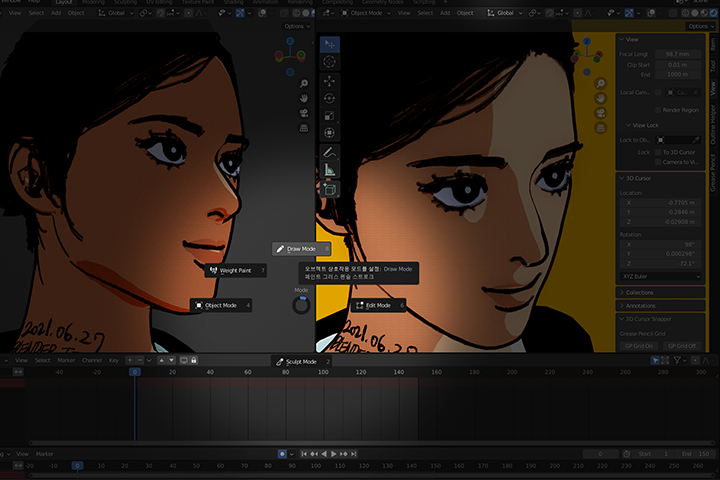
Achieving that professional edge in 2.5D animation with Blender comes down to mastering specific, practical skills:
- Grease Pencil Brush Control: Understanding brush settings, including size, opacity, and texture, is fundamental. Leedeebee emphasizes experimenting with pressure sensitivity settings on a drawing tablet to achieve nuanced line weights that add life to your strokes. This is critical for characters and organic elements.
- Strategic Layering: Learn how Grease Pencil layers interact within a 3D scene. This involves placing flat 2D drawings strategically in 3D space to create a sense of depth without complex modeling. For instance, creating a background scene might involve layering distinct drawing planes for foreground, mid-ground, and background elements.
- Nodes for Dynamic Textures: Explore how Blender’s node editor can be used to create procedural textures and shading that enhance the 2D feel of your 3D models. This allows for efficient color changes and stylistic effects without manual painting.
- Animation Workflow Optimization: The course covers creating animation timelines, managing keyframes for Grease Pencil objects, and understanding camera animation principles. This workflow efficiency is key for producing complex shots smoothly.
- Compositing Fundamentals: Grasping how to composite different render passes and layers, especially separating Freestyle line art from color renders, is vital for final output quality. This allows for greater control during post-production.
💬 Frequently Asked Questions
Q. How does Animator Leedeebee recommend starting with Blender for someone new to 3D?
A. Animator Leedeebee suggests beginning with the core Grease Pencil features. Focus on understanding how to draw in 3D space and mastering basic brush settings and modifiers. The class provides step-by-step tutorials that ease users into Blender’s interface and fundamental 3D drawing concepts.
Q. What are the key benefits of using Blender’s Grease Pencil for 2.5D animation, according to Animator Leedeebee?
A. The primary benefit highlighted by Animator Leedeebee is Blender’s ability to seamlessly integrate 2D drawing with 3D space. This allows for a unique workflow where artists can achieve a hand-drawn aesthetic within a fully navigable 3D environment, offering greater creative control and visual depth compared to traditional 2D animation.
Q. Animator Leedeebee mentions “cartoon shading.” Can you elaborate on what that entails in the context of 2.5D animation?
A. For Animator Leedeebee, cartoon shading in 2.5D animation involves applying distinct color blocks and often stylized outlines to 3D models or Grease Pencil objects. This technique aims to mimic the visual style of traditional 2D cartoons while benefiting from the lighting and depth capabilities of 3D. It’s about achieving a flat, graphic look on 3D forms.
👉 Want to Go Deeper?
If you’re eager to transform your 2D artwork into dynamic 2.5D animations, exploring the full curriculum is your next step. Animator Leedeebee breaks down every technique in detail, providing practical exercises and insights.