ZBrush for Art Toys: Mastering Character Modeling for Physical Production
🧐 That Moment When Your Digital Character Still Doesn’t Feel ‘Real’
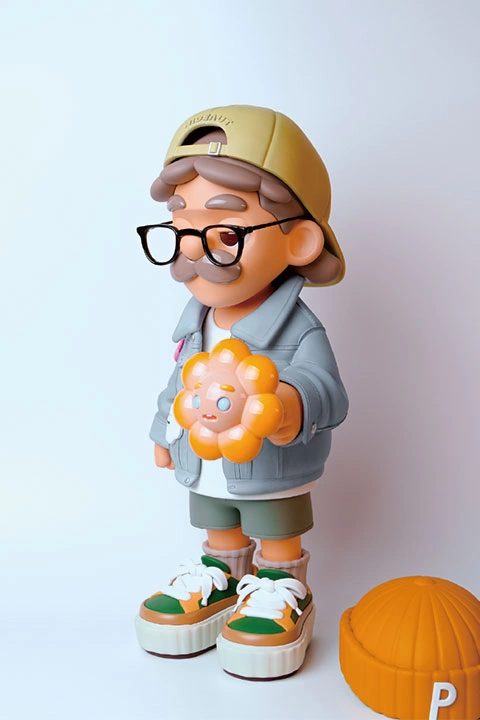 You’ve meticulously crafted a character in ZBrush, but translating that digital vision into a tangible, satisfying art toy can be the biggest hurdle. It’s not just about sculpting; it’s the entire pipeline from model preparation for printing to the final paint job that truly matters. Many hit a wall here, stuck between a great digital sculpt and a less-than-stellar physical piece.
💡 Tobey’s Essential Tips for Bringing Your Art Toys to Life
1. The ‘Parting’ Principle: Design for Assembly, Not Just Aesthetics
This isn’t just about making a character look good on screen. Art Toy Artist Tobey emphasizes that the true art lies in designing your model with assembly in mind from the get-go. Think about how each part will connect, rotate, and hold together before you even start sculpting the main body. This means planning for joints, connection points, and considering tolerances for 3D printing right within ZBrush. It’s not just about learning a ZBrush technique; it’s about shifting your mindset to think like a physical product designer.
2. Workflow Efficiency: Tobey’s Studio Shortcut for ZBrush
Tobey’s studio routine involves using custom UI settings and specific brush shortcuts to drastically cut down on repetitive tasks. Instead of relying on default ZBrush layouts, he’s streamlined the process by assigning frequently used tools and functions to easily accessible hotkeys. This isn’t just about speed; it’s about maintaining a consistent workflow that minimizes interruptions and keeps you in the creative flow. Most professionals adopt a similar customized setup to enhance their output.
3. The Finishing Touch: Mastering Post-Processing for Professional Polish
The magic often happens after the 3D print. Tobey highlights that achieving a truly professional look involves mastering post-processing. This includes careful sanding to remove layer lines, applying surfacers for a smooth base, and precise painting techniques. This one extra step, focusing on surface preparation and detail finishing, can seriously elevate your art toy’s quality from a hobbyist piece to something ready for display or sale.
🛠️ Key Skills & Details That Define Professional Quality
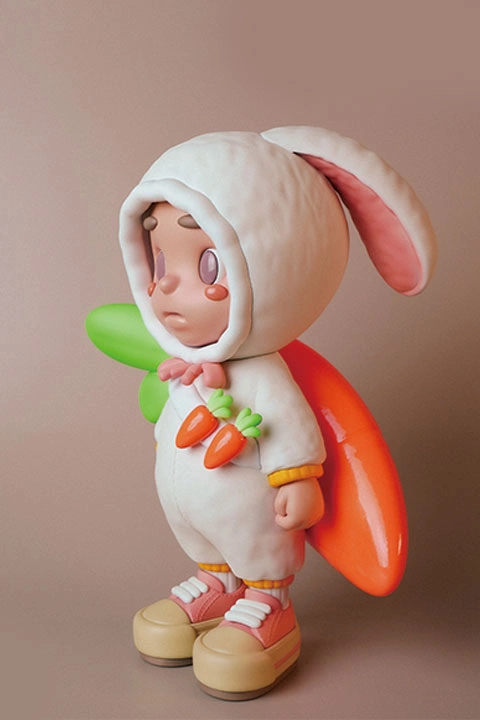
Beyond the initial sculpt, the real skill lies in the tangible creation. Art Toy Artist Tobey focuses on practical, hands-on techniques that professionals use daily. This includes understanding parting strategies for assembly, designing robust joints that allow for articulation, and optimizing models specifically for 3D printing—a crucial step often overlooked. The class dives deep into ZBrush’s capabilities like boolean operations for creating clean separations and leveraging tools like ZModeler for hard-surface elements essential for art toy construction. This isn’t just about software features; it’s about applying them with a physical product’s end-goal in mind, ensuring that your digital creation translates seamlessly into a high-quality physical object.
💬 Frequently Asked Questions
Q. What are the essential ZBrush skills covered in Art Toy Artist Tobey’s class?
A. The class covers everything from basic ZBrush navigation and brush usage to advanced techniques like sketch modeling, subdivision modeling for thickness, Boolean operations for parting, and joint design specifically for assembly. Art Toy Artist Tobey also shares his custom UI settings and shortcuts for a more efficient workflow.
Q. How does Art Toy Artist Tobey’s class help with the 3D printing and post-processing stages?
A. Art Toy Artist Tobey provides a detailed roadmap for transitioning from a digital model to a physical art toy. This includes essential steps like designing parts for printability, understanding assembly, and mastering post-processing techniques such as sanding, applying surfacers, and painting. They also offer guidance on branding and promoting your work.
Q. Is this class suitable for absolute beginners in ZBrush and art toy creation?
A. Yes, Art Toy Artist Tobey designed this class to be beginner-friendly, even for those with no prior ZBrush experience. The curriculum starts with fundamental concepts and progresses systematically, incorporating exclusive character exercises tailored for Coloso students to ensure a solid understanding and practical application of all stages involved in art toy creation.