Mastering Emotional 3D Isometrics: Expert Blender Workflow
🧐 The Frustrating Point Where Your 3D Work Lacks That Emotional Spark
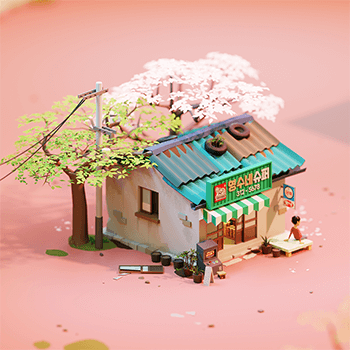
You meticulously follow every tutorial, nail the modeling, and set up the lights just right, yet your final 3D isometric artwork still feels… flat. It’s missing that captivating essence that draws viewers in and tells a story. This often stems from a disconnect between technical execution and the initial concept’s emotional core.
💡 Three Core Principles for Emotionally Charged 3D Isometrics
These aren’t just techniques; they’re mindset shifts that have been crucial in elevating my own work and the work of countless professionals.
1. Blend Concept Art Thinking into Every Stage
It’s not just about learning modeling or texturing. The real magic happens when you infuse the planning phase with concept art principles from the very beginning. This means defining the mood, narrative, and emotional palette before you even touch a polygon. Consider how color theory, character silhouettes (even in environmental pieces), and storytelling elements from 2D concept art can directly inform your 3D decisions. This approach ensures your final render isn’t just technically proficient but emotionally resonant.
2. Streamline Your Workflow with Smart Add-on Integration
Professionals don’t reinvent the wheel for every asset. Discover how to leverage free and efficient add-ons, like BlenderKit, to rapidly populate your scenes and accelerate the asset creation process. The key is not to rely on them blindly, but to integrate them strategically into your pipeline. Focus your unique artistic energy on the core elements that define your piece, while letting smart tools handle the repetitive tasks. This can shave hours, even days, off your production time.
3. The Art of Intentional Omission and Simplification
Many artists fall into the trap of trying to render every single detail. However, truly impactful isometric art often relies on a balance between presence and absence. Learn the expert technique of identifying key elements that convey the story and mood, and intentionally simplifying or omitting others. This isn’t about cutting corners; it’s about guiding the viewer’s eye and creating a cleaner, more impactful composition that speaks volumes through suggestion rather than overwhelming detail.
🛠️ Key Skills & Details That Define Professional Quality
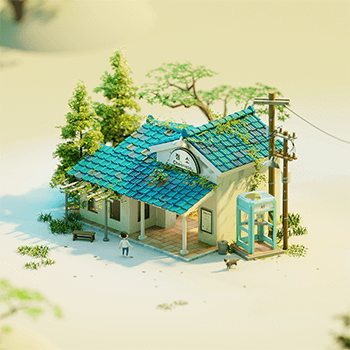
Moving beyond basic polygon modeling, true professionals focus on nuances that elevate their work. This involves mastering low and mid-polygon modeling techniques tailored for isometric perspective, ensuring clean topology for smoother texturing and rendering.
Here’s a breakdown of practical skills:
- Strategic Lighting: It’s not just about placing lights; it’s about understanding how light interacts with different materials to evoke specific emotions. Learn to use lighting to emphasize key areas, create atmospheric depth, and define the overall mood of your scene. Experimenting with light temperature, intensity, and placement can dramatically alter the emotional impact of your artwork.
- Atmospheric Color Selection: Mastering color is paramount. Go beyond simple color picking; understand color theory and how to select palettes that communicate feeling. Learn to create harmony and contrast that guides the viewer’s eye and enhances the narrative. This includes understanding how light affects perceived color and how to use subtle variations to add depth.
- Efficient Texturing and Material Work: Discover how to create compelling textures that add realism and character without bogging down your scene. This involves understanding material properties in Blender and how to use Photoshop for detailed texture map creation and refinement. The goal is to add visual interest and storytelling through materials.
- Composition and Camera Mastery: Even with a static isometric view, composition is king. Learn how to arrange elements within your scene to create visual flow, draw attention to focal points, and tell your story effectively. This includes understanding camera angles and focal lengths that best serve the isometric perspective and the overall narrative.
- Post-Processing for Polish: The final stage is crucial. Learn how to use Photoshop for essential post-processing techniques, such as color grading, atmospheric effects, and minor detail enhancements. This step is where you truly bring your Blender render to life and ensure it has that professional, polished look.
💬 Frequently Asked Questions
Q. What is the most crucial skill for a 3D Artist aiming to create emotionally resonant isometric artwork?
A. The most crucial skill is integrating concept art thinking into every stage of the 3D workflow. This means understanding the emotional intent and narrative before starting the technical execution. It’s about making deliberate choices in modeling, lighting, and texturing that serve the overall feeling and story you want to convey, rather than just achieving technical accuracy.
Q. How can a 3D Artist efficiently manage complex scenes in Blender to maintain performance and artistic quality?
A. Efficient scene management involves strategic use of add-ons for asset population, optimizing polygon counts based on scene importance, and leveraging Blender’s performance tools. Professionals often use techniques like instancing, collection management, and prioritizing detail only in key areas to balance visual fidelity with rendering performance.
Q. How does a 3D Artist use lighting to enhance the emotional impact of an isometric artwork?
A. A 3D Artist enhances emotional impact through lighting by carefully considering color temperature, intensity, and direction. Warm lights can create a cozy or inviting atmosphere, while cool lights might suggest a more somber or mysterious mood. Understanding how light creates shadows and highlights also plays a significant role in guiding the viewer’s eye and defining the scene’s focal points and emotional narrative.