Master Stylized Game Backgrounds: From Modeling to Engine Leveling with ANCALL
💥 When Your Stylized Backgrounds Miss the Mark
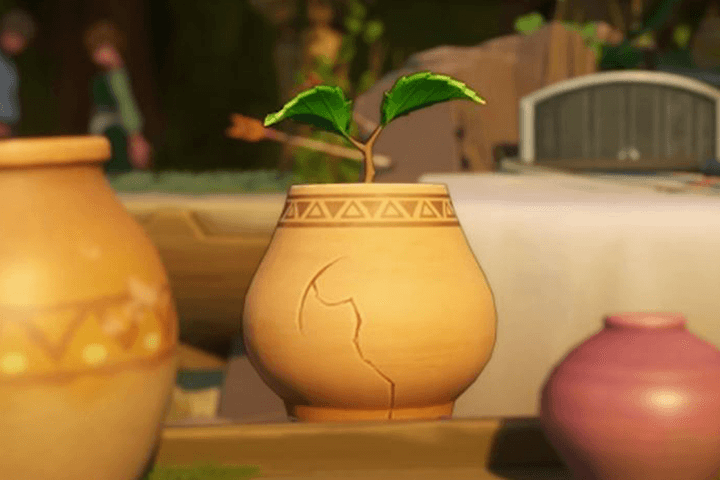 You’ve meticulously followed the tutorials, applied the techniques, yet the final render still feels… off. It lacks that professional polish, that distinct stylized charm that makes game worlds truly pop. The issue often lies not in a lack of effort, but in overlooking the subtle, yet critical, nuances of the stylized workflow. This isn’t about replicating reality; it’s about intentional exaggeration and simplification to create a specific mood and aesthetic.
💡 Pro-Level Workflow for Stylized Game Environments
1. Intentional Design: Beyond Simple Replication
The core of stylized art isn’t just about making things look less realistic; it’s about making deliberate design choices.
- Focus on Silhouette and Form: For stylized props and backgrounds, the silhouette is paramount. Ensure your forms are readable and convey the intended purpose and personality of the object at a glance. This often means exaggerating key features or simplifying complex details.
- Material Truth: Understand how different materials behave in a stylized context. This involves choosing specific sculpting and texturing techniques that emphasize the material’s character—think of how to convey wood grain with bold strokes or metal with clean, sharp edges, rather than photorealistic imperfections.
- The Power of Outline: Many successful stylized games utilize outlines or strong edge definition. This isn’t just an aesthetic choice; it’s a technique that enhances readability and separates foreground elements from the background, guiding the player’s eye. Experiment with line weight and style to match your overall art direction.
2. Sculpting & Texturing for Stylized Definition
Achieving a polished stylized look requires a thoughtful approach to sculpting and texturing, focusing on clarity and impact.
- Sculpting with Purpose: Use Zbrush not just to add detail, but to define shapes and create readable forms. Tools like the Lasso and Masking are crucial for creating sharp edges and controlled exaggerations that define stylized assets. Consider how a slight bevel or an intentionally smoothed surface can drastically change the feel of an object.
- Normal Maps as Stylistic Tools: Instead of relying solely on hand-painting, leverage normal maps for stylistic effects. This allows for efficient creation of exaggerated details like bold crevices, stylized wood grains, or chipped stone edges that contribute significantly to the stylized aesthetic without excessive manual work.
- NPR Texturing is Key: Embrace Non-Photorealistic Rendering (NPR) techniques. The normal map method, when used for stylized art, can create the visual density and appeal of hand-painted textures much faster. This technique is widely adopted in modern casual game development for its efficiency and quality.
3. Engine Integration: Bringing It All Together
The final step is crucial for ensuring your stylized assets translate well into the game engine.
- Material Mastery in Unreal Engine: Understand how to set up materials that enhance your stylized look. This includes leveraging specific texture maps and shaders to achieve the desired lighting and color response that complements the art style.
- Composition for Storytelling: Beyond individual assets, focus on how they come together. The engine is where you orchestrate the scene, using lighting, camera angles, and prop placement to tell a story and immerse the player. This involves understanding the ‘leveling’ aspect—how all elements combine to create a cohesive and atmospheric environment.
- Optimize for Performance: Stylized art often relies on clever techniques to achieve high visual fidelity without immense polycounts. Learn how to optimize your UVs and topology for efficient rendering in game engines, ensuring your beautiful environments run smoothly.
🛠️ Key Skills & Details That Define Professional Quality
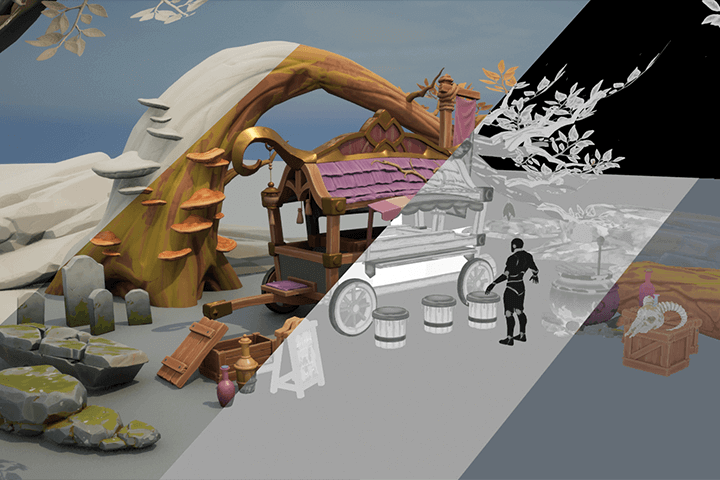
Professionals elevate their stylized game backgrounds through a combination of targeted techniques and workflow efficiencies. This isn’t about knowing every single button in a software package; it’s about understanding how to use them to achieve a specific artistic vision.
- Tool-Specific Workflow Mastery: Learn to select and utilize tools like 3ds Max, Zbrush, and Substance Painter based on the prop type and desired outcome. This means knowing when to use detailed sculpting in Zbrush versus efficient modeling in 3ds Max, and how to leverage Substance Painter for stylized material creation.
- Efficient Detailing: The course emphasizes techniques that speed up production without sacrificing quality. For instance, using Zmodeler for efficient hard-surface modeling or employing Nanomeshes for repeating patterns in Zbrush saves significant time.
- Crafting Believable Stylized Materials: Achieving the right look for wood, stone, or metal in a stylized context requires understanding how to apply textures and sculpt details that suggest form and material properties without aiming for photorealism. This includes mastering techniques for creating cracks, rust, moss, and other wear-and-tear effects that align with the stylized aesthetic.
- Leveraging Engine Capabilities: The final stage involves understanding how to bring your assets into Unreal Engine and configure materials and lighting to fully realize the stylized vision. This includes setting up custom materials and ensuring proper composition to create an immersive and visually appealing game world.
💬 Frequently Asked Questions
Q. How does 3 Denvironmentartist ANCALL approach the difference between photorealistic and stylized game backgrounds?
A. ANCALL emphasizes that stylized backgrounds aren’t just less realistic; they are intentionally designed with specific goals like readable silhouettes, exaggerated forms, and strong edge definition. The approach involves understanding what to simplify and what to emphasize for a particular art style, rather than trying to replicate reality.
Q. What are some of ANCALL’s top tips for efficient stylized sculpting and texturing?
A. ANCALL suggests leveraging tools like Zbrush’s Lasso and Masking for controlled exaggerations and using normal maps creatively to achieve stylized details like bold lines or material textures. The focus is on using tools efficiently to create impactful visuals without excessive manual effort.
Q. How can a beginner get started with creating stylized game backgrounds based on ANCALL’s methods?
A. ANCALL’s curriculum is designed to guide beginners through the entire pipeline, starting with understanding the fundamentals of stylized art and progressing through practical modeling, sculpting, and texturing exercises. The course uses specific examples to demonstrate how to achieve a charming and trendy game background portfolio, even with no prior experience.