Illustrator Stylization Breakthrough: Fix Common Errors Instantly
🧐 Ever feel like your illustrations are close, but not quite there?
 You meticulously craft each element, yet the final piece feels a bit generic, or perhaps some details just aren’t landing as intended. The truth is, developing a distinct art style isn’t about reinventing the wheel; it’s about understanding the foundational principles and applying them with intention. Many artists hit a wall when trying to analyze their own work objectively or when their stylization attempts fall flat. The fix often lies in specific, actionable techniques rather than broad strokes.
💡 Mastering Your Illustrator Art Style: Core Insights from 2sham
1. Sharpening Your Analytical Eye: Objective Self-Critique
This isn’t about being harsh; it’s about being precise. Before diving into new techniques, take 15 minutes to analyze your existing work. Use a structured approach: identify specific areas you’re unsatisfied with—be it facial expressions, hair flow, or material rendering—and then pinpoint the underlying structural or anatomical reasons for the perceived flaw. Understanding what is wrong is the first step to fixing it. This objective analysis is key to targeted self-study.
2. Streamlining Workflow: The Power of Custom Shortcuts and Brushes
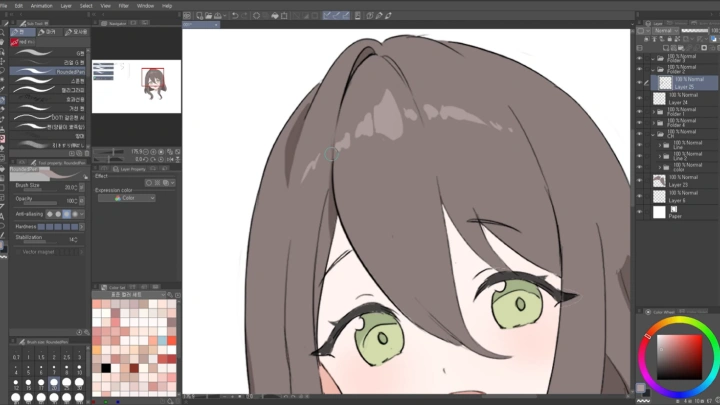
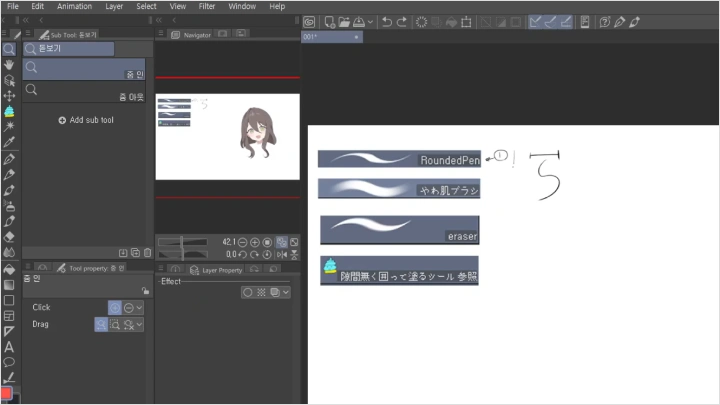
Time is a killer, especially when you’re pushing for a unique style. Most established artists don’t draw every stroke from scratch. Instead, they build a personalized workflow. Spend an hour setting up custom shortcuts for frequently used tools and actions in Clip Studio. Develop a small library of go-to brushes that consistently help you achieve your desired textures and line weights. This efficiency allows more creative energy for stylization and rendering, rather than getting bogged down in repetitive tasks.
3. Material Mastery: Beyond Basic Coloring
Rendering different materials—like latex, stockings, or even complex clothing folds—requires more than just picking a color. It’s about understanding how light interacts with specific surfaces. For example, latex reflects light very sharply and has a distinct sheen, requiring specific highlight and shadow placement. When coloring a bunny suit, for instance, focus on the smooth, shiny surface and how it conforms to the body, creating deep shadows and bright, sharp highlights. Practicing these specific material renditions, even with simple sphere studies, can drastically improve the believability and sophistication of your illustrations.
🛠️ Key Skills & Details That Define Professional Quality
 Developing a unique illustration style hinges on a deep understanding of artistic fundamentals, applied with intentional stylization. Professionals master techniques like:
- Anatomy and Structure: Identifying weak points in your drawings by understanding underlying structure is crucial. This allows for more accurate and dynamic poses and expressions, moving beyond generic figures. Spending time analyzing basic anatomy, even for non-human characters, ensures your creations have a solid foundation.
- Composition and Visual Flow: Simply placing elements on a canvas isn’t enough. Establishing a clear composition guides the viewer’s eye through the artwork, creating a narrative and emotional impact. This involves understanding principles like the rule of thirds, leading lines, and balance to create visually compelling scenes.
- Volume and Density through Shading: True three-dimensionality comes from how you render light and shadow. Understanding “volume” means creating a sense of form and weight. Techniques for building “density” in your coloring, especially with light and shadow, make your illustrations feel more tangible and less flat. This is especially important when rendering challenging textures or complex forms.
💬 Frequently Asked Questions
Q. How can I identify my art style weaknesses in Illustrator?
Illustrator artists can identify weaknesses by objectively analyzing their artwork. Dedicate time to a structured self-critique, focusing on specific elements like anatomy, poses, or material rendering. Ask yourself: what parts of this drawing are not satisfying, and why? This targeted approach helps pinpoint areas for focused practice and improvement.
Q. What are the most efficient ways to set up Clip Studio for stylization in Illustrator?
To boost stylization efficiency in Clip Studio, focus on customizing your workspace. Set up frequently used custom brushes that align with your desired style and create keyboard shortcuts for your most common tools and actions. A well-optimized environment allows for faster iteration and experimentation with different stylistic approaches.
Q. How do I improve my understanding of color schemes and light in Illustrator?
Improving color schemes and light understanding involves dedicated practice and reference analysis. Study color theory for different tones and practice applying color schemes to illustrations. When defining light and shadow, think about the volume of the object you are drawing. Using references effectively, not for imitation but for understanding, is key. Practice coloring different materials, like skin or fabric, to grasp how light behaves on diverse surfaces.