💡 Expert Insights for Enhanced Illustration Workflow
1. Master the 3D-2D Synergy for Composition
Blender isn’t just for 3D modeling; it’s a powerful tool for planning and executing your 2D illustrations. By leveraging Blender’s capabilities, you can pre-visualize lighting, contrast, and composition from any angle. This means fewer rough sketches and more confidence in your final piece. It’s not just about learning the technique — it’s about shifting how you think about the initial stages of your creative process.
2. Streamline Repetitive Tasks with 3D Models
One of the most significant advantages of using Blender is its ability to automate or simplify tasks that typically demand a lot of manual effort. Think character posing, prop placement, and even background elements. Illustrator Kelly’s approach demonstrates how to create or utilize 3D models to quickly establish accurate human body structures and dynamic poses, freeing up mental energy for the artistic details. This workflow efficiency is key for professionals aiming to produce high-quality work consistently.
3. Develop Your Unique Artistic Style with 3D Foundations
Blender provides a unique opportunity to solidify your individual drawing style. By understanding human anatomy in three dimensions, you can create custom 3D models that reflect your specific deformation and stylistic choices. This allows for a more informed approach to character design, ensuring that your finished illustrations not only look natural but also carry your distinct artistic signature.
🛠️ Key Skills & Details That Define Professional Quality
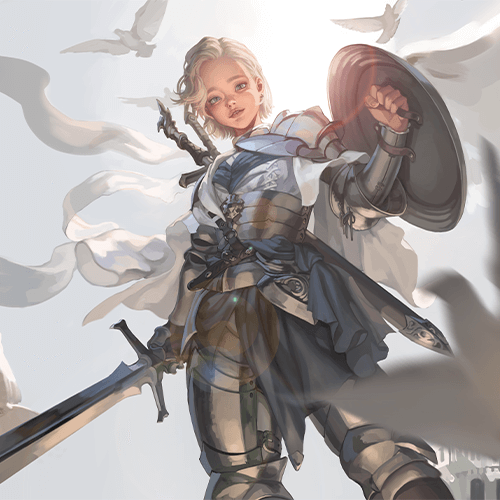
Beyond the basics, professional illustration hinges on precision and efficiency. Illustrator Kelly’s methods emphasize practical application:
- Anatomical Accuracy: Utilize Blender’s modeling tools to dissect and understand the skeletal and muscular structure of the human body. This three-dimensional comprehension directly translates into more believable and natural character poses and forms in your 2D work.
- Dynamic Posing: Learn to manipulate 3D models to explore various poses and character expressions. This dramatically cuts down on the time spent iterating on traditional sketches for dynamic action or subtle emotional nuance.
- Lighting and Composition: Leverage Blender’s rendering capabilities to accurately simulate light sources and their effects on form and shadow. This knowledge is crucial for achieving depth and mood in your illustrations, much like a painter would consider their lighting setup.
- Workflow Customization: Kelly shares insights into building a personal work cycle that integrates 3D renders as a base. This includes understanding how to effectively use these renders in post-processing software like Photoshop to add textures, refine details, and achieve the desired artistic finish, similar to an oil painting’s density.
💬 Frequently Asked Questions
Q. How can Illustrator Kelly’s course help me improve my 2D illustration workflow?
A. The course teaches you to leverage Blender for foundational work like character posing, anatomy reference, and composition planning. This integration allows for faster iteration and more accurate results, enabling you to focus more on artistic expression and less on repetitive structural tasks.
Q. Is this course suitable for illustrators who have no prior experience with 3D software?
A. Absolutely. The curriculum is designed to guide 2D artists through the essentials of Blender, from installation and interface navigation to applying 3D models to their specific illustration needs. It focuses on practical application rather than complex 3D artistry.
Q. What are the main benefits of using Blender in illustration, as taught in this course?
A. Key benefits include achieving greater anatomical accuracy and dynamism in character poses, optimizing the workflow for tasks like background and prop creation, and developing a unique artistic style by integrating 3D elements. This leads to both improved quality and significant time savings.