💡 3 Core Principles for Striking Color Contrast
1. Embrace the Contrast Spectrum: Beyond Black and White
The core idea of contrast is the juxtaposition of different qualities to create a striking difference. While black and white offer high luminance contrast, relying solely on them can limit your palette. The real magic happens when you explore the nuances within the spectrum.
- Luminance Contrast: This is the difference between light and dark. High luminance contrast sharpens an object’s form, making it pop. Low contrast creates softer, more blended transitions. To check this, convert your work to grayscale. If depth is lost, ramp up the luminance contrast in key areas.
- Saturation Contrast: This plays with the intensity of colors. A highly saturated color next to a desaturated one makes the saturated color appear more vibrant and prominent. This is crucial for making elements like skin tones look healthy and alive, rather than dull or washed out. Instead of just mixing in black for darker tones, shift towards more saturated colors.
2. Analogous and Complementary: Navigating Color Relationships
Understanding how colors sit next to each other on the color wheel unlocks harmonious or dynamic effects.
- Analogous Color Contrast: Colors adjacent on the wheel (like greens, yellows, and oranges) naturally harmonize. This is great for creating a stable, unified feel in character designs. To add contrast without clashing, vary the brightness and saturation within these similar hues. For instance, use a darker, slightly greener shade for shadows on a yellow base.
- Complementary Color Contrast: Opposite colors (like blue and orange) create strong visual tension and vibrancy. Use this strategically to make key elements stand out. However, overdoing it can lead to a chaotic image. Desaturate or lighten non-essential areas to guide the viewer’s eye and maintain clarity. This is perfect for dynamic characters that need to grab attention.
3. Warm vs. Cool: Harnessing the Power of Temperature
The Hui-an contrast (or warm-cool contrast) plays on the perceived temperature of colors. Blue and its relatives are cool, while red, orange, and yellow are warm.
- Accentuate Temperature Differences: Placing a cool color next to a warm one makes each appear more intense. This is naturally present in everyday scenes like sunlight and shade, or sunsets. For your artwork, a neutral base can be livened up by adding warm highlights and cool shadows, or vice versa, preventing a flat, uninspired look.
🛠️ Key Skills & Details That Define Professional Quality
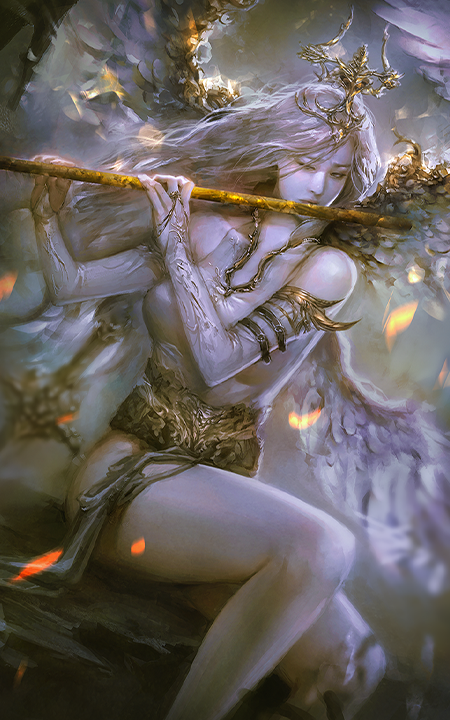
Achieving transparent shading relies on more than just picking colors; it’s about the subtle application of these principles.
- Strategic Brightness: When rendering a simple box, observe where light hits. The brightest side should be the least saturated, while mid-tones can be the most saturated. As forms get darker, saturation typically decreases, pushing towards black. The trick is finding that sweet spot where contrast enhances form without becoming jarring. Using a simple black and white conversion of your artwork is a quick way to assess luminance contrast.
- Saturation’s Role: Don’t shy away from saturation contrast. It’s not about making everything intensely colorful, but about controlling the intensity of your colors to define form. For example, on a brightly lit surface, the color might be closer to a primary hue. As it recedes into shadow, it should move towards black, with a corresponding decrease in saturation. This creates a natural gradient that feels organic.
- Professional Workflow: Many seasoned artists utilize a ‘color balance’ adjustment layer. This allows them to subtly shift hues, saturation, and brightness across different tonal ranges without altering the base colors. Experimenting with this layer can reveal new color relationships and help you push your contrast effects further. The goal is often simplicity and clarity, ensuring the core shapes and forms read well, even when colors are complex.
💬 Frequently Asked Questions
Q. How can an Illustrator check for good luminance contrast in their artwork?
Illustrators can easily check luminance contrast by creating a new layer, filling it with a neutral gray, and setting the layer mode to ‘Color’ or ‘Saturation’. This temporarily desaturates the entire image, allowing them to focus solely on the light and dark values and identify areas lacking sufficient contrast.
Q. When is saturation contrast most effective for an Illustrator?
Saturation contrast is particularly effective when an Illustrator wants to make specific elements pop or to ensure dark tones don’t appear muddy against lighter primary colors. It’s also useful for character design, where a dull skin tone can be revitalized by increasing saturation towards the primary color family, making the character appear healthier and more vibrant.
Q. How can an Illustrator use analogous color contrast for a more unified design?
Illustrators can use analogous color contrast by selecting colors that are neighbors on the color wheel. For instance, using variations of yellow with subtle shifts towards green for shadows and orange for highlights can create a harmonious yet contrasted appearance. This approach helps maintain a unified palette, conveying stability and allowing for subtle definition through brightness and saturation differences rather than stark color changes.
👉 Want to Go Deeper?
[Illustration]