Rhino to KeyShot: Mastering UV Mapping for Flawless Fabric Textures
🧐 That moment when your fabric texture stretches and distorts, making your render look amateur.
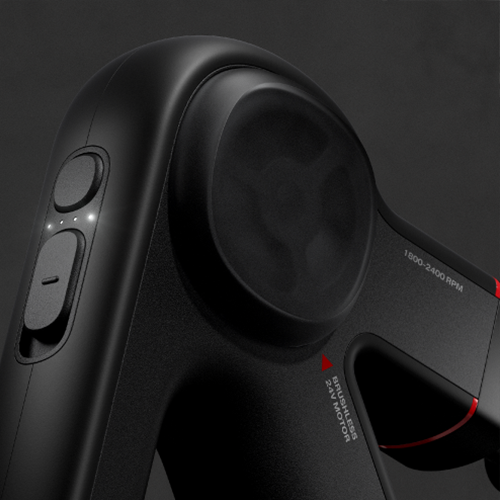 You meticulously model and texture, yet the final render shows stretched patterns, especially on curved surfaces. It’s a common roadblock, turning a potentially great render into something that just feels… off. The solution often isn’t in the material itself, but in how the UVs are laid out.
💡 Master Your UVs for Perfect Fabric Renders
1. The Foundation: Understanding UV Mapping Beyond Basic Tools
Instead of relying solely on default box or spherical mapping, dive into custom UV unwrapping. This involves strategically placing seams on your model to create a flat 2D representation that accurately reflects the 3D form. The goal is to ensure that when a texture is applied, it doesn’t stretch or compress unnaturally, preserving the original weave and pattern of the fabric.
2. Workflow Hack: Quad Remesh for Clean Topology & Predictable UVs
When working with complex organic shapes or surfaces that require smooth fabric drape, starting with a clean mesh is crucial. Industrialdesigner Jongha Lee advocates using Rhino’s “Quad Remesh” tool. This process converts your NURBS model into a quad-based mesh, optimizing the topology. Crucially, when you then unwrap the UVs of this remeshed object, the resulting layout is far more predictable and uniform, making it easier to control texture placement. This is especially vital for achieving consistent fabric behavior across curved surfaces.
3. The Expert’s Touch: Guiding Mesh Flow with Curves
For truly natural fabric folds and drapes, simply letting the software auto-generate UVs isn’t enough. Industrialdesigner Jongha Lee emphasizes creating “guide curves” directly on the 3D model that dictate the desired flow of the mesh. By projecting these curves onto the model and then using them within the Quad Remesh process, you can influence the topology to follow natural fabric lines. This proactive step ensures that the subsequent UV unwrapping and texturing will behave as intended, mimicking real-world fabric behavior.
🛠️ Key Skills & Details That Define Professional Quality
Achieving photorealistic fabric rendering hinges on detailed control over how textures wrap around your 3D models. It’s not just about applying a material; it’s about preparing the model’s geometry to accept that material perfectly.
- Strategic Seam Placement: Think of unwrapping a gift. You want the paper to lie flat and cover the object without excessive folds or tears. In UV mapping, this translates to choosing seam locations that are less visible or that naturally occur in the object’s construction. For a speaker cover, for example, seams might be placed along existing panel lines or the underside.
- Mesh Topology for Textures: The underlying structure of your 3D model, its topology, directly impacts UV mapping. A messy or uneven mesh will lead to distorted textures. Using tools like Rhino’s “Quad Remesh” is essential for creating a clean, quad-based mesh that facilitates predictable and accurate UV unwrapping. This is especially important when you need to achieve smooth gradients or consistent patterns.
- Understanding UV Space: Once unwrapped, your 3D model’s surface is represented in a 2D UV space. The arrangement of these UV islands within this space dictates how the texture will be tiled and positioned. Industrialdesigner Jongha Lee stresses the importance of making sure each “tile” within the UV map is as close to square as possible, mirroring the aspect ratio of the original texture. This ensures that the fabric weave appears consistent across the entire surface, avoiding the visual “pulling” or “squashing” often seen on curved geometry.
- Thickness and Detail in Rendering: For convincing fabric materials, adding thickness is crucial. While NURBS can achieve this with offset operations, mesh models can use dedicated “Offset Mesh” tools. This adds depth, allowing light to interact more realistically with the material and enhancing the perception of the fabric’s weave. When exporting to rendering software like KeyShot, ensuring this thickness is maintained and the UVs are correctly applied is key to the final visual impact.
💬 Frequently Asked Questions
Q. How can Industrialdesigner Jongha Lee’s techniques help prevent fabric textures from looking stretched on curved surfaces?
Industrialdesigner Jongha Lee’s methods focus on meticulously preparing the 3D model’s UV map. By using tools like Rhino’s Quad Remesh to create clean, predictable mesh topology and strategically placing seams, the model’s 2D representation in UV space accurately reflects its 3D form. This precise UV unwrapping ensures that fabric textures, when applied in rendering software like KeyShot, do not distort or stretch unnaturally, even on complex curves.
Q. What is the role of guide curves in Industrialdesigner Jongha Lee’s workflow for realistic fabric rendering?
Guide curves act as directional prompts for the mesh generation process. By drawing curves on the 3D model that mimic natural fabric flow or desired crease lines, Industrialdesigner Jongha Lee influences the Quad Remesh tool to create a topology that follows these guides. This results in a more organic and predictable mesh structure, which in turn leads to a cleaner UV map and, ultimately, more realistic and natural-looking fabric textures in the final render.
Q. Why is controlling mesh topology so important for UV mapping and texture application, according to Industrialdesigner Jongha Lee?
For effective UV mapping and texture application, a clean and well-organized mesh topology is fundamental. Industrialdesigner Jongha Lee explains that uneven or overly dense meshes can lead to distorted UV layouts, making it difficult to achieve uniform texture application. By utilizing tools like Quad Remesh, which optimizes the mesh structure into uniform quads, the UV unwrapping process becomes more straightforward and the resulting texture application is more precise and visually appealing, avoiding common issues like pattern stretching or pinching.