Mastering After Effects Character Animation: Beyond the Basics with Motion Designer Sujin Yang
🧐 Ever feel your character animations lack that professional “oomph,” no matter how many keyframes you set?
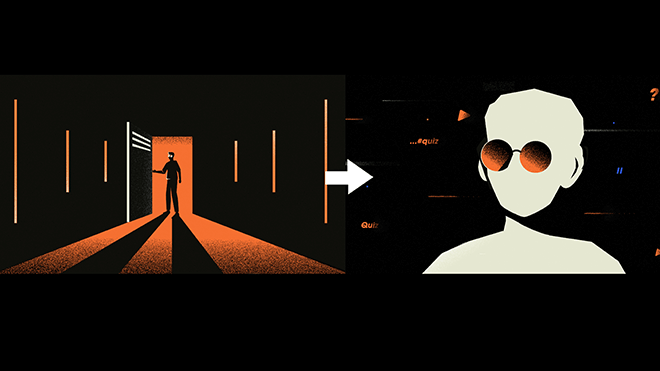 It’s a common frustration: you meticulously animate a character, but the movement feels stiff, predictable, or just… not quite alive. The difference between amateur and professional work often boils down to a nuanced understanding of motion principles and how to wield your tools precisely. Forget just learning the buttons; mastering the why behind the motion is where the magic happens.
💡 Three Pro-Level Insights for Dynamic Character Animation
1. Harnessing the Graph Editor: Your Secret Weapon for Expressive Motion
Motion Designer Sujin Yang emphasizes that understanding the Graph Editor isn’t just about making things move smoothly; it’s about dictating the feeling of that movement. Instead of relying solely on presets, learn to manipulate Influence and Velocity values precisely. For instance, setting endpoint velocity to 0 is crucial for achieving a natural stop, preventing that abrupt, jarring halt. When you adjust the Influence value, you’re directly controlling how much one keyframe’s value “leaks” into the next, creating subtle easing that sells the motion. It’s not just about learning the technique—it’s about shifting how you think about momentum and deceleration.
2. The Power of Keyframe Interpolation: Smoothness vs. Control
While Easy Ease (F9) is a great starting point, professionals often delve deeper. Sujin Yang highlights the distinctions between Linear, Bezier, and Hold keyframes. Crucially, understanding Continuous Bezier versus Bezier interpolation is key. Continuous Bezier locks the handles together for consistent curves, ideal for smooth, flowing paths. However, by breaking this link (often by Alt-dragging a handle), you gain granular control to create specific pauses or acceleration points within a single curve. For position properties, Roving Across Time is a powerful tool that dynamically adjusts keyframes to follow a path, and combining this with manual graph adjustments can lead to incredibly organic movement.
3. Building Believable Movement: Applying Animation Principles Tactically
The “12 Basic Principles of Animation” aren’t just for traditional animators. Sujin Yang demonstrates how concepts like Follow Through & Overlapping Action and Secondary Action can be applied to 2D character rigs in After Effects. For example, when a character stops abruptly, adding a slight overshoot or a subtle bounce to extremities (like ears or tails) using separate animated elements or clever parenting can instantly add life. This isn’t about complex rigging; it’s about applying theoretical understanding to practical details that make the animation feel grounded and reactive.
🛠️ Key Skills & Details That Define Professional Quality
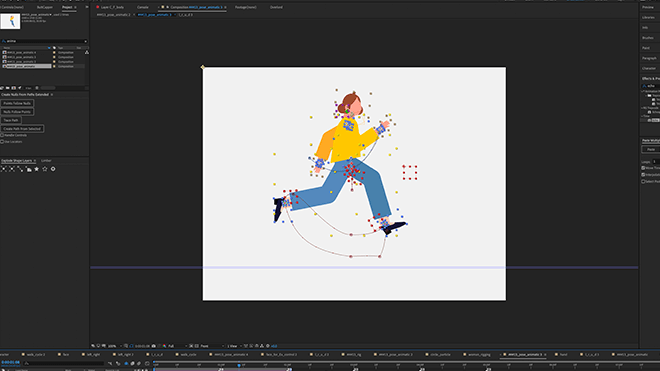
Moving beyond basic keyframing, true professional quality in character animation hinges on a meticulous approach to motion. This involves a deep dive into the Graph Editor, understanding how Speed and Value Graphs differ and when to use each. The Speed Graph visually represents velocity: higher peaks mean faster movement. The Value Graph, conversely, shows the actual property value; here, the rate of change between points dictates speed.
Mastering these graphs allows you to fine-tune the feel of motion. For instance, Sujin Yang’s technique for creating a “fast in, slow down, fast out” effect involves strategically adjusting the handles within the graph. You can manipulate the Influence values to control how long the animation lingers at its peak or begins its descent. By tweaking these values, you can achieve precise timing that prevents your animation from feeling rushed or sluggish. Remember, even subtle adjustments to Velocity and Influence can drastically alter the perceived weight and energy of your character’s actions, transforming a static pose into a dynamic performance.
💬 Frequently Asked Questions
Q. How can Motion Designer Sujin Yang’s advice help me create more engaging character transitions?
A. Motion Designer Sujin Yang stresses the importance of the Graph Editor for transitions. By carefully adjusting Velocity and Influence on keyframes, you can create smooth eases in and out of poses, preventing jarring jumps. Understanding the difference between Easy Ease and manual graph manipulation allows for custom transition timings that feel more natural and impactful.
Q. What’s the most efficient way Motion Designer Sujin Yang suggests for rigging simple characters in After Effects?
A. While the course focuses heavily on animation principles, Sujin Yang provides insights into utilizing plugins and basic rigging techniques to bring characters to life. The emphasis is on creating controllers that allow for expressive movement. The core takeaway is to understand how to apply animation rules to your rig, rather than just the rigging process itself.
Q. How does Motion Designer Sujin Yang ensure character animations maintain a consistent rhythm and pacing?
A. Rhythm and pacing are directly controlled through the Graph Editor. Sujin Yang emphasizes that consistent application of graph principles, like controlling the speed at keyframes and the influence of their handles, creates predictable yet dynamic motion. Practicing with the Speed Graph helps visualize and maintain the desired tempo throughout an animation sequence.