Pixel Character Animation: From Static Drawing to Dynamic Movement
🧐 The Frustration of a Stiff Pixel Character
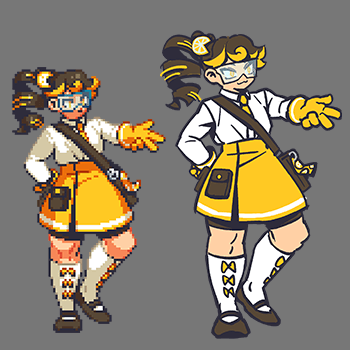 Ever followed every pixel-perfect step, only to see your character animation still looking stiff or distorted? It’s a common roadblock. Turns out, the key isn’t always more complex techniques, but a subtle shift in how you approach the fundamentals of pixel movement and form.
💡 Three Core Principles for Lifelike Pixel Animation
1. Mastering the ‘Breathing’ of Idle Animation
This isn’t just about making a character stand still; it’s about giving them subtle life. Focus on micro-movements – a slight shift in weight, a gentle sway, or a subtle bob. Even a few frames of a breath or a slight head turn can make a world of difference. Most pros iterate on the idle animation first because it sets the baseline for all other movements. It’s not just about learning the technique — it’s about shifting how you think about a character’s baseline state as a continuous, albeit subtle, action.
2. Efficient Workflow for Smooth Cycles
Creating smooth walk or run cycles often feels like a puzzle. The trick is to establish clear keyframes for the most impactful poses (like contact and passing) and then build out the in-betweens. Don’t be afraid to use onion skinning extensively in Aseprite to visualize the flow. A pro tip: work on a loopable background early on; this helps you gauge the character’s movement in context and ensures the animation seamlessly repeats.
3. The Art of ‘Impact’ in Attack Animations
Simply making a limb swing isn’t enough for a punch or a spell. Think about the anticipation, the follow-through, and the reaction. For melee attacks, emphasize the wind-up and the powerful deceleration. For ranged attacks, focus on the projectile’s trajectory and the character’s recoil. A key detail is adding subtle flashes or trails during the most impactful frames to visually communicate force. This one tweak can seriously level up your output.
🛠️ Key Skills & Details That Define Professional Quality
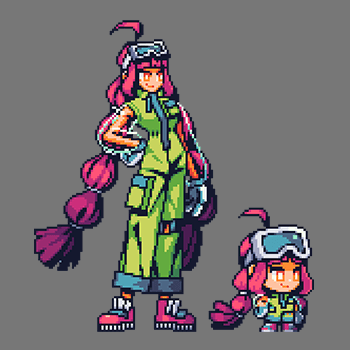
When it comes to bringing pixel art characters to life, professionals nail the details that make animations believable and engaging. This goes beyond just knowing software features; it’s about practical application.
- Shape Integrity: Always ensure your character’s core silhouette remains consistent, even during extreme poses or fast movements. This prevents the visual “wobble” that screams amateur. If a limb seems distorted, revisit the fundamental drawing and animation principles.
- Anticipation and Follow-Through: For any action, add frames that prepare the viewer for the movement (anticipation) and frames that show the momentum continuing after the main action (follow-through). This creates a sense of weight and realism.
- Subtle Textures and Shading: Even within pixel art constraints, skillful use of color palettes and dithering can imply different materials, adding depth and visual interest. For instance, a slight gradient can suggest a metallic sheen, while a rougher texture might indicate cloth.
- Frame Rate Optimization: Understanding how different frame rates impact the perceived smoothness of animation is crucial. For many games, 12 or 15 frames per second can achieve a great balance between fluidity and file size. Experiment to find what works best for your project’s needs.
💬 Frequently Asked Questions
Q. How can a Pixelartist prevent pixel art characters from looking distorted during movement animations?
A. Maintaining consistent proportions and silhouette is key. Professionals use reference sheets and carefully map out key poses, ensuring the character’s fundamental shape doesn’t break. Pay close attention to how joints move and how mass shifts. Using tools like Aseprite’s onion skinning helps visualize the transitions and catch distortions early.
Q. What’s the most efficient way for a Pixelartist to create a smooth walk cycle?
A. Start by defining the most critical poses: contact, passing, highest, and lowest points. Then, use these as anchors to fill in the in-between frames. Working in a loop with a basic background can help you spot awkward transitions and ensure the cycle feels natural when repeated.
Q. How can a Pixelartist add unique personality to their character animations beyond basic movements?
A. Focus on micro-actions and personality quirks. For an idle animation, consider adding small idle animations like shifting weight, looking around, or subtle breathing. For attacks, exaggerate the anticipation and follow-through to emphasize the character’s style or power. Even a slight head tilt or a shoulder shrug can add a lot of character.