Webtoon Backgrounds in Clip Studio: From SketchUp to Monetization
😫 The Frustration of Inconsistent Backgrounds

You meticulously craft your characters, but the backgrounds sometimes feel… off. Maybe they lack depth, or perhaps the style clashes. It’s a common hurdle for many webtoon artists, and the truth is, it often boils down to how efficiently you integrate 3D assets and refine them within your workflow. Getting this right isn’t just about tools; it’s about a strategic approach to asset creation and integration.
💡 Three Game-Changing Strategies for Webtoon Backgrounds
These techniques, honed through years of professional webtoon production, will significantly elevate your background quality and speed.
1. Mastering SketchUp for Asset Generation
- Principle: Treat SketchUp not just as a 3D modeling tool, but as your personal asset library builder. The key is efficiency in modeling and organization. Focus on creating reusable components for common elements like furniture, props, and architectural details.
- Method:
- Start with Essentials: Begin by modeling fundamental objects like chairs, tables, sinks, and doors. Prioritize clean geometry.
- Leverage Components: Group related objects into components. This allows for easy duplication and modification across multiple scenes without altering each instance individually. A change to a component updates all its copies simultaneously.
- Organize with Layers/Groups: Use SketchUp’s grouping and layer features diligently. This is crucial for managing complex scenes and isolating elements for export. Aim for a clear hierarchy: exterior walls, interior walls, furniture, decorative items.
- Optimize for Export: Before exporting to Clip Studio, ensure your models are optimized. Remove unnecessary hidden geometry and ensure proper scaling. This reduces file sizes and improves performance in Clip Studio.
- Insight: It’s not just about learning the technique—it’s about shifting your mindset to view 3D modeling as a system for creating a unique, personalized asset library that fuels your creative process.
2. Seamless Integration with Clip Studio Paint
- Workflow: The magic happens when SketchUp models become an integral part of your Clip Studio workflow. The goal is to extract the best of your 3D work and blend it with your 2D linework and coloring.
- Technique:
- Strategic 2D Extraction: Utilize SketchUp’s export options to generate 2D line art and shading views. Experiment with different export settings to find what best matches your desired final art style. Consider exporting multiple views to combine different lighting and line weights.
- Layer Management in Clip Studio: Import these 2D renders as layers in Clip Studio. Use blending modes (like Multiply for shadows, Screen for highlights) to integrate them with your hand-drawn elements.
- Refinement with 2D Tools: Don’t stop at the 3D render. Use Clip Studio’s brushes to clean up lines, add subtle details, and ensure a cohesive art style. This is where your personal touch truly shines, blending the 3D foundation with your unique artistic flair.
- Expert Tip: Most pros don’t just slap a 3D render onto the page. They use it as a base, refining it with 2D tools to achieve a hand-drawn feel, ensuring consistency with their characters. This process often takes less time than drawing complex backgrounds from scratch.
3. The Monetization Edge: Creating Sellable Assets
- Finishing Touch: Beyond just creating backgrounds for your own webtoons, the skills learned here open doors to a passive income stream by selling your 3D assets.
- Strategy:
- Identify Market Needs: Research existing 3D asset marketplaces. What types of props, environments, or architectural elements are in high demand for webtoon creators? Look for gaps you can fill.
- Focus on Usability: Package your models cleanly. Include textures, ensure models are low-poly where appropriate for performance, and provide clear instructions or preview images.
- Unique Selling Proposition: What makes your assets stand out? Is it a specific art style, a unique prop design, or a highly optimized workflow? Leverage your distinctiveness.
- Value Add: Creating sellable assets isn’t just about replicating. It’s about understanding what other artists need and providing high-quality, easy-to-use solutions that save them time and enhance their work. This can transform your skills from a production tool into a revenue generator.
🛠️ Key Skills & Details That Define Professional Quality
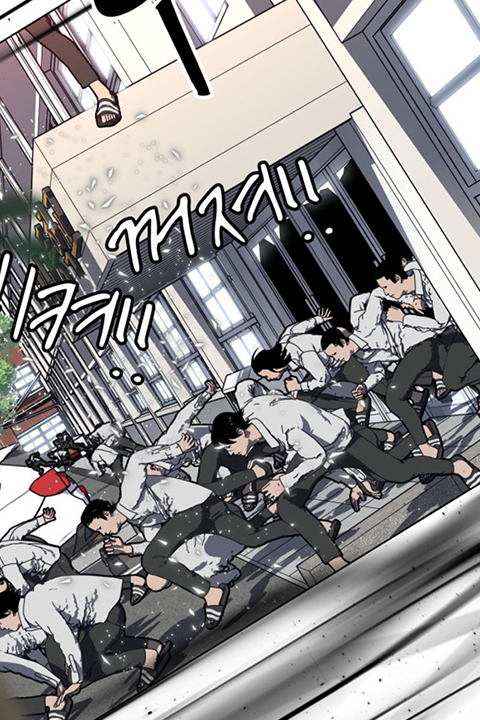
Achieving professional quality in webtoon backgrounds relies on a fusion of 3D efficiency and 2D refinement. It’s about understanding the interplay between different tools and techniques to achieve speed without sacrificing artistic integrity.
- Precise 3D Modeling: Mastering tools like SketchUp for creating clean, optimized 3D models is foundational. This includes understanding polygon counts, UV mapping basics (even if not explicitly used for rendering), and effective use of components for modularity.
- Strategic Rendering & Export: Knowing how to extract the right kind of 2D information from your 3D models is critical. This isn’t just about a flat render; it’s about understanding how line weights, shading, and perspective exports can be leveraged within Clip Studio.
- Clip Studio Integration: The ability to seamlessly blend 3D renders with 2D linework and coloring is paramount. This involves understanding layer modes, using custom brushes to enhance details, and color correction techniques to ensure stylistic consistency.
- Asset Management: Developing a personal library of reusable 3D assets dramatically speeds up production. This requires a systematic approach to modeling, naming conventions, and organization within your software.
- Monetization Awareness: Understanding the market for 3D assets for webtoons allows you to create work that is not only functional for your own projects but also potentially profitable. This involves market research and a focus on creating unique, high-demand assets.
💬 Frequently Asked Questions
Q. Webtoonist, How can I efficiently create complex building interiors using SketchUp?
- Start by modeling modular room components (walls, floors, ceilings) and then populate them with pre-made or custom furniture components. Use layers extensively to control visibility and easily swap elements. Focus on exporting clean line art and ambient occlusion renders from SketchUp to use as a base in Clip Studio, then refine with 2D drawing.
Q. Webtoonist, What’s the best way to maintain a consistent art style when combining 3D backgrounds with 2D characters?
- The key is post-processing in Clip Studio. After rendering your 3D scene, import it as a layer. Adjust its color balance, contrast, and add subtle hand-drawn textures or line work over it. This ensures the background feels like it belongs in the same world as your characters, rather than looking like separate elements.
Q. Webtoonist, How can I start selling my 3D assets if I’m new to creating them?
- Begin by focusing on creating a few high-quality, in-demand assets that you yourself would find useful for your webtoons. Ensure they are well-organized, optimized for performance, and easy for other artists to use. Platforms like Gumroad or specialized 3D asset marketplaces are good starting points.